
macOS API client
Retriever
A free native Mac API client, for everyone Paw left behind.
Free·macOS 15 or later, Apple silicon·Notarized, no account, no licence key
What Retriever does
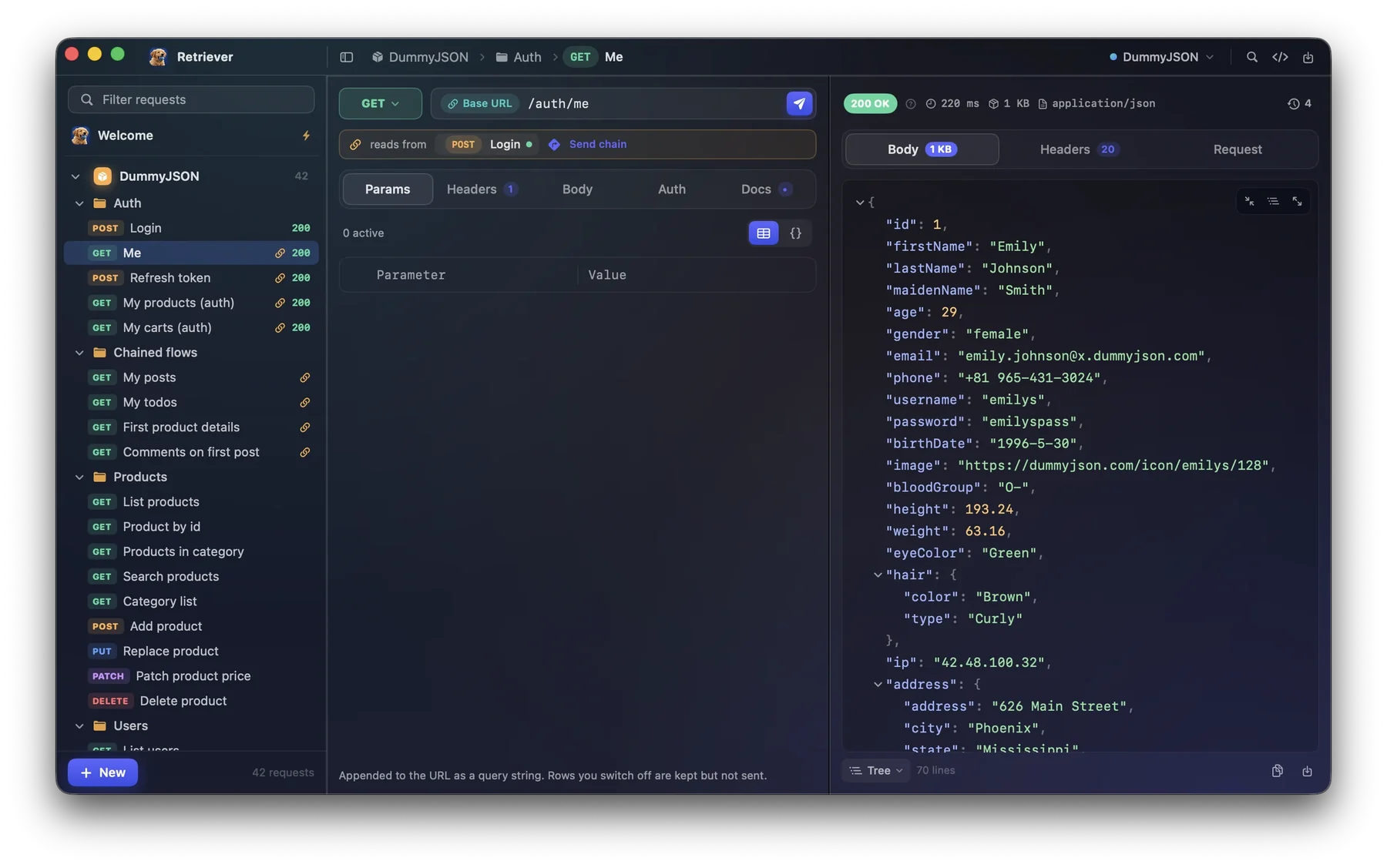
Paw, later RapidAPI for Mac, was discontinued in September 2026, and what was left to move to was a row of Electron apps that want you signed in. Retriever is the other option: a real Mac app written in Swift that sends your requests, keeps them in collections, switches environments, and keeps your work as plain JSON files on your own disk.
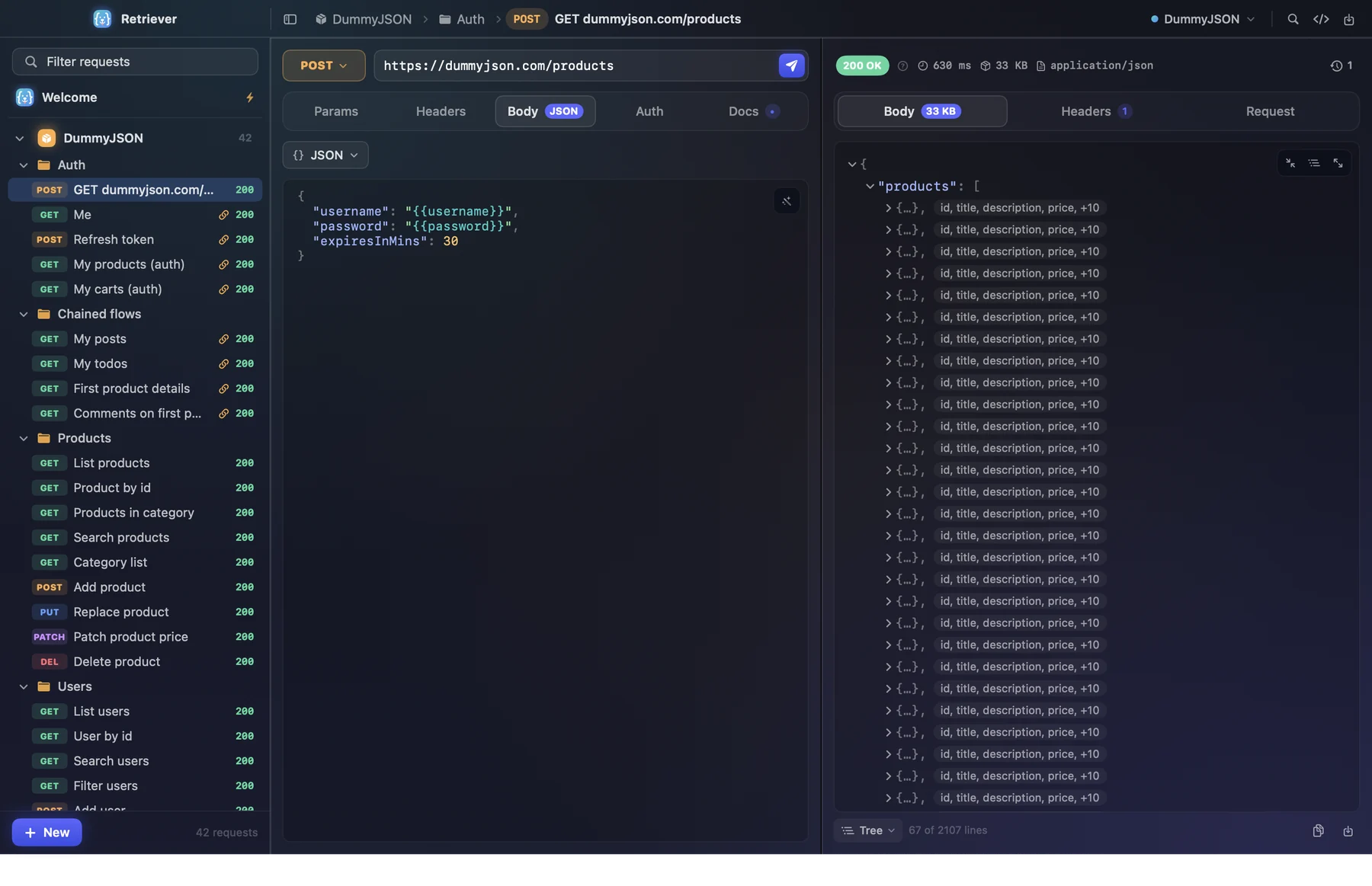
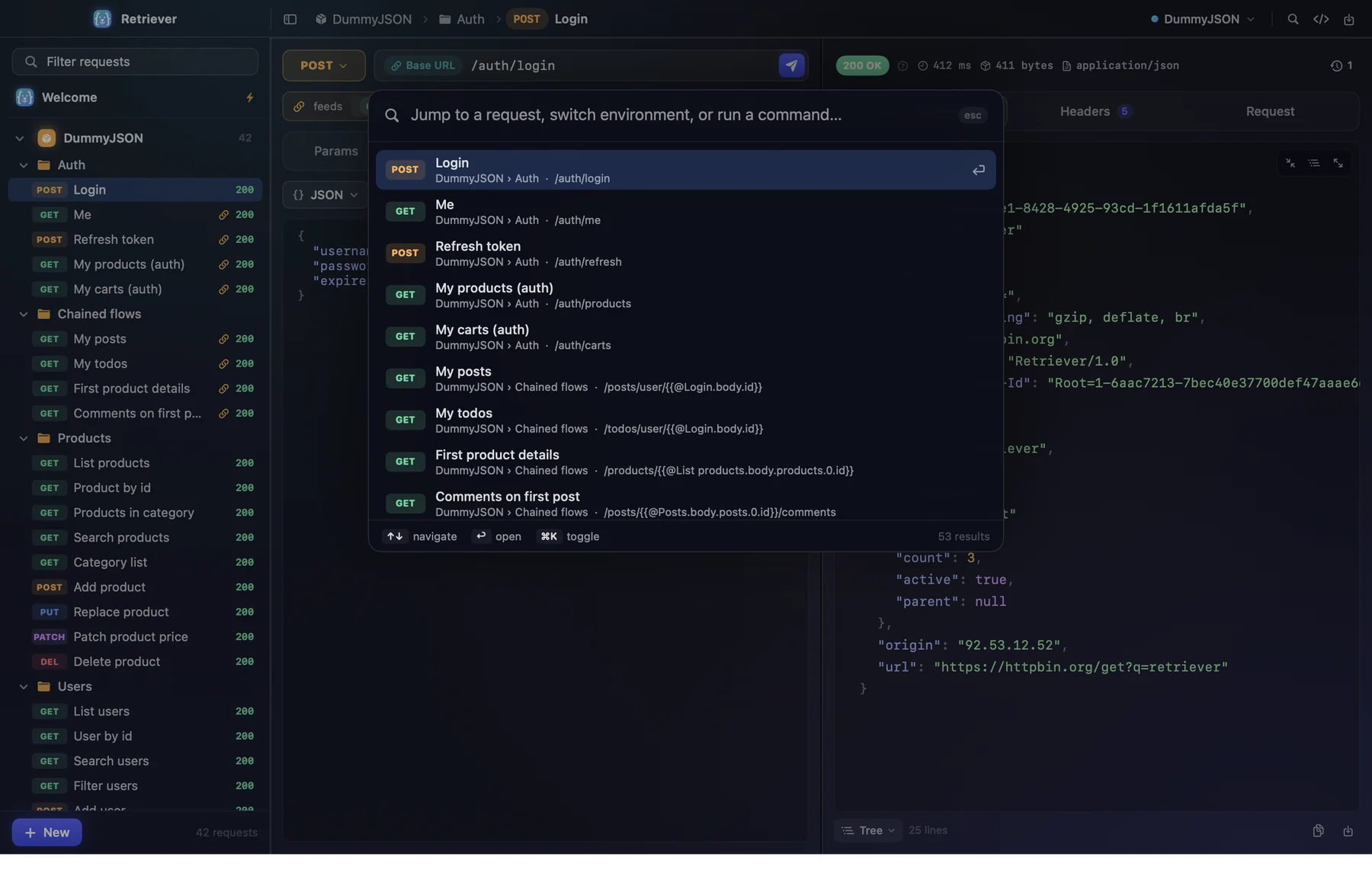
It does the daily part quickly. Every method, query and header tables you can also edit as JSON, a body editor that closes your braces, and a response pane that parses big payloads off the main thread and opens a 2,000-line response folded down to 67. Command-K goes anywhere, Command-Return sends, and every shortcut can be rebound.
And it does the parts that used to need scripts. Right-click a value in one response and paste it into the next request as a chain reference. Sign in with OAuth 2.0 once and the token refreshes itself. Let an AI agent drive the same workspace through the built-in MCP server, and watch what it does appear in your sidebar.
The parts worth knowing about
Not the whole list - the app has more screens than a page like this can usefully hold. These are the decisions that make Retriever different from the last one you tried.
-
Environments that switch the whole request
Write {{baseUrl}} and {{token}} once. Pick Local, Staging or Production in the toolbar and the same request goes to a different server with different credentials.
-
Chain one response into the next, no scripts
Right-click any value in a response and copy it as a reference like {{@Login.body.accessToken}}. Chained requests show the link in the sidebar, and Send chain runs the sequence in order.
-
JSON you can fold
Responses are drawn as a tree of virtualized rows. Folded objects preview their keys, and the last 25 responses of every request are kept, so going back to one is instant.
-
OAuth 2.0 that stays signed in
Authorization code with PKCE, client credentials, device code, password and refresh token, with presets for GitHub, Google, Microsoft Entra ID, Auth0, Okta and Spotify. Tokens refresh before they expire, and a 401 gets one quiet retry.
-
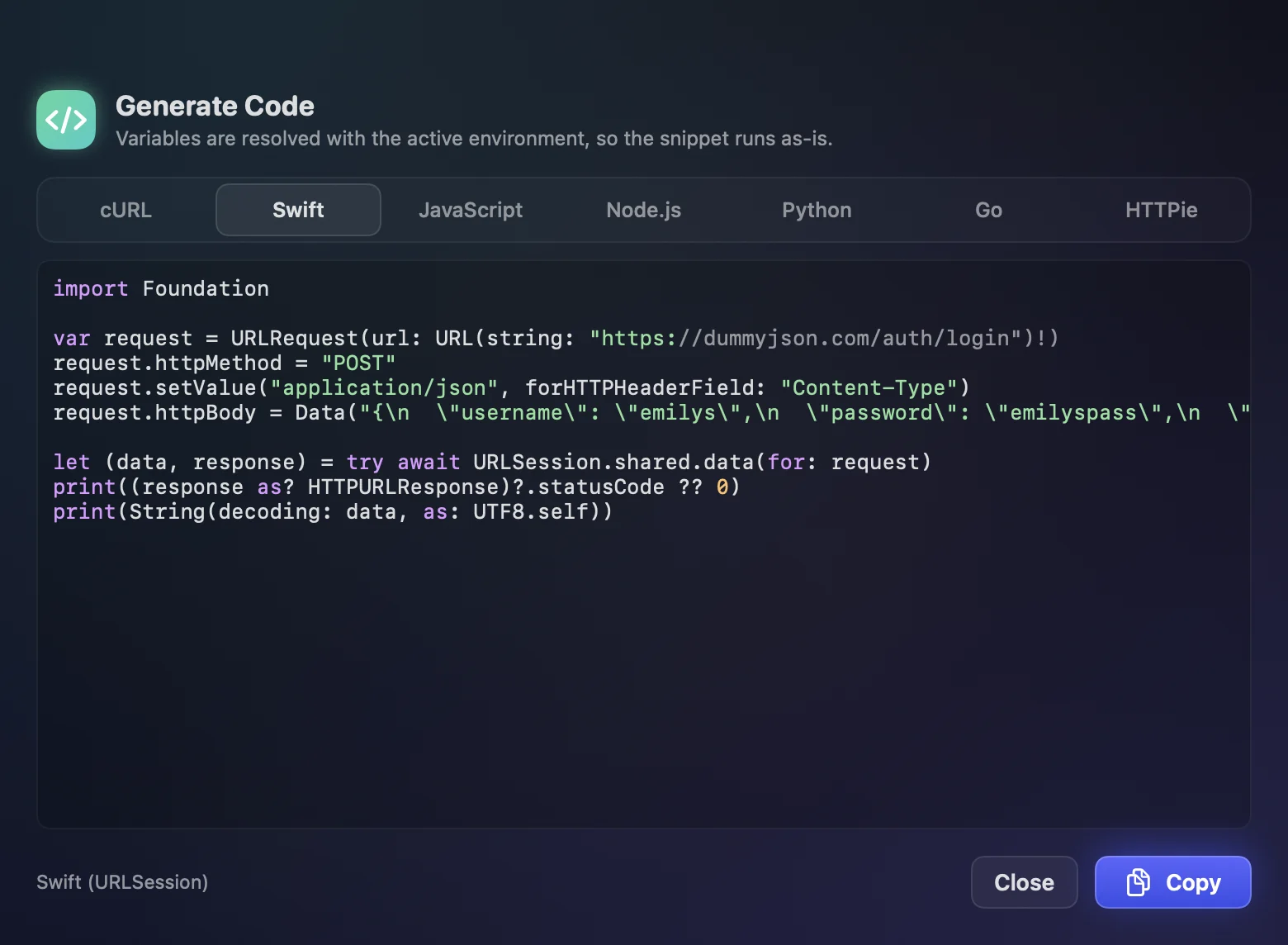
Code in seven languages
Shift-Command-C turns the request into cURL, Swift, JavaScript, Node.js, Python, Go or HTTPie, with variables already resolved from the active environment, so the snippet runs as it is.
-
An MCP server for your agent
Claude Code, Cursor or any MCP client can list, create, edit and send your requests with seventeen tools. Values that look like secrets are masked unless the agent asks to reveal them.
-
Ask why a request failed, on your own key
Add a TypeSafe, Anthropic or OpenAI key and Retriever explains a 4xx or 5xx with the fix one click away, offers chain references for values you pasted, and finds requests by description. Each feature asks one narrow question and reads back a typed judgment, not prose. It is off until you add a key, and every feature has its own switch.
-
Moving from Paw takes three steps
Export a Postman collection from Paw, open it in Retriever, pick an environment. It also imports cURL, Postman environments, OpenAPI 3 and Swagger 2.
-
Your files, not an account
Everything is one workspace.json and a history file per request in Application Support. Back it up, sync it, commit it to git. Nothing is sent anywhere except the requests you send.
Retriever, running
Pricing
Retriever was $19 until version 0.6.0 and is now free, with every feature included and nothing held back. If you want to support it there is a pay-what-you-want link on its site, through Polar; the app itself never asks.
- RetrieverFree
Download it and use it. There is no key to paste and nothing to activate.
- Everything: OAuth 2.0, chaining, the MCP server, code generation, every import
- No subscription, no seats, no account, no licence key
- Plain JSON files that still open if you stop using it
What you need
- Mac
- macOS 15 or later
- Processor
- Apple silicon
- Latest version
- 0.7.0
- Where it comes from
- A 4 MB disk image from its own site, signed and notarized by Apple
- Account
- None, ever
- Your data
- Plain JSON in ~/Library/Application Support/Retriever. Nothing leaves your Mac except the requests you send, and — only if you add a key for the optional AI features — the masked request involved, to the provider you chose.
- Not yet
- A cookie jar, GraphQL introspection, WebSockets and gRPC
Questions about Retriever
How much does Retriever cost?
Nothing. It was $19 until version 0.6.0 and is now free, with every feature included, no subscription and no licence key. Supporting it is optional, through a pay-what-you-want link on its own site.
What does Retriever run on?
macOS 15 or later on Apple silicon. It is a 4 MB disk image from its own site, signed and notarized by Apple.
Can I move my Paw projects to it?
Yes. Export a Postman collection from Paw, open it in Retriever and pick an environment. It also imports cURL, Postman environments, OpenAPI 3 and Swagger 2.
Where is my data?
In plain JSON files in ~/Library/Application Support/Retriever on your Mac. There is no account, and nothing is sent anywhere except the requests you send. The optional AI features are the one exception, and only once you add your own TypeSafe, Anthropic or OpenAI key: they send the request involved, with credentials masked, to the provider you chose.
Free, every feature