How I make my launch videos now (with LaunchTrailer)
- launchtrailer
- launch-video
- indie
- marketing
I ship a lot of small apps. HourSlip, SnagFrog, Capta, Cleat, Retriever, Orbit Cards. Each one needs the same few things on launch day: a page, a Product Hunt listing, a post or three, and a video.
The video was always the one I left for last. Writing the page is fun. Fixing the last bug is fun. Recording the screen, cutting it in an editor and exporting it again for every feed is not, and a wide video made for YouTube is no use in a vertical feed.
So I built LaunchTrailer, and this is how I use it. The short version: I paste the product’s link, check what it wrote, pick a look, and download a folder of videos.
Why was the video always the hard part?
Because one launch video is really several. Product Hunt wants a YouTube link, so that one is wide. Reels, Shorts and TikTok want vertical. X and LinkedIn feeds are happiest with square. Then you want a couple of different opening lines, because you do not know which one will stop people scrolling.
Done by hand, every one of those is another export, and every change to the copy means doing all of them again. The easy way out is one wide video posted everywhere, sitting in vertical feeds with black bars above and below.
The other problem was honesty, which sounds like a strange thing to worry about in a video. It is very easy to write “saves you hours every week” on a slide when your product page says nothing of the sort. I wanted the video to say what the page says and nothing else.
What I do now
1. Paste the link
I give LaunchTrailer the product page, say hourslip.app. It reads the page and, a couple of minutes later, has a draft: three hooks, a pass over my real interface with a cursor clicking through it, three features and two calls to action. It also picks the screenshot that shows the product best. While it works there is a departures board flipping through what it is doing, and a small Space Invaders clone if I get bored. (I made the game. I am not sorry.)
2. Check the claims
This is the step I care most about. Every claim in the draft has the quote from my page next to it, and a number can only appear if my page has it. If a line says HourSlip turns tracked time into an invoice, I can see the sentence on hourslip.app that says so. I confirm the claims before anything renders, and anything I can’t back up, I delete.
3. Pick a look
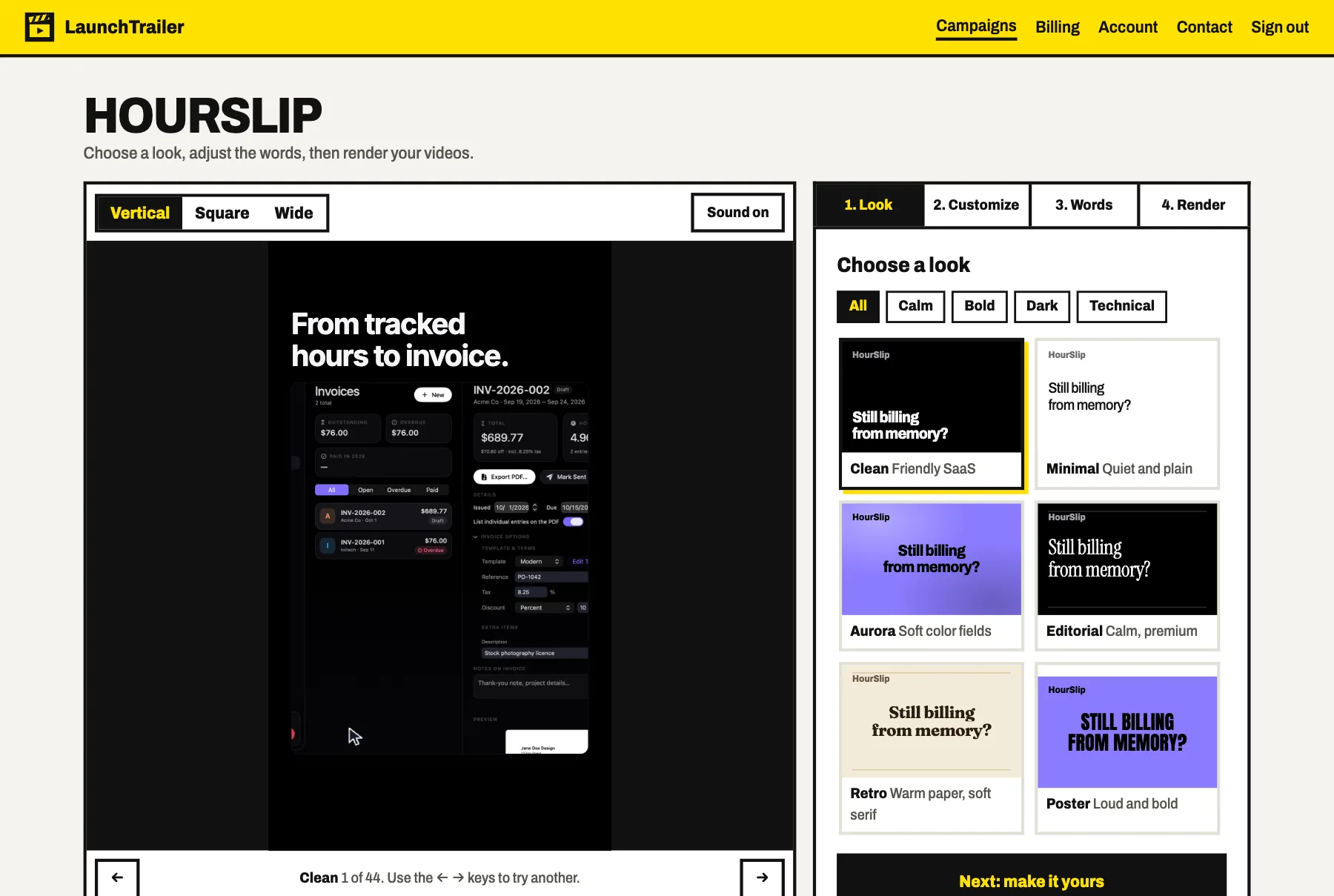
There are 44 of them, from quiet editorial type to loud poster capitals, and the preview plays my own words in each one. I flick through them with the arrow keys until one fits the product.
4. Change whatever bugs me
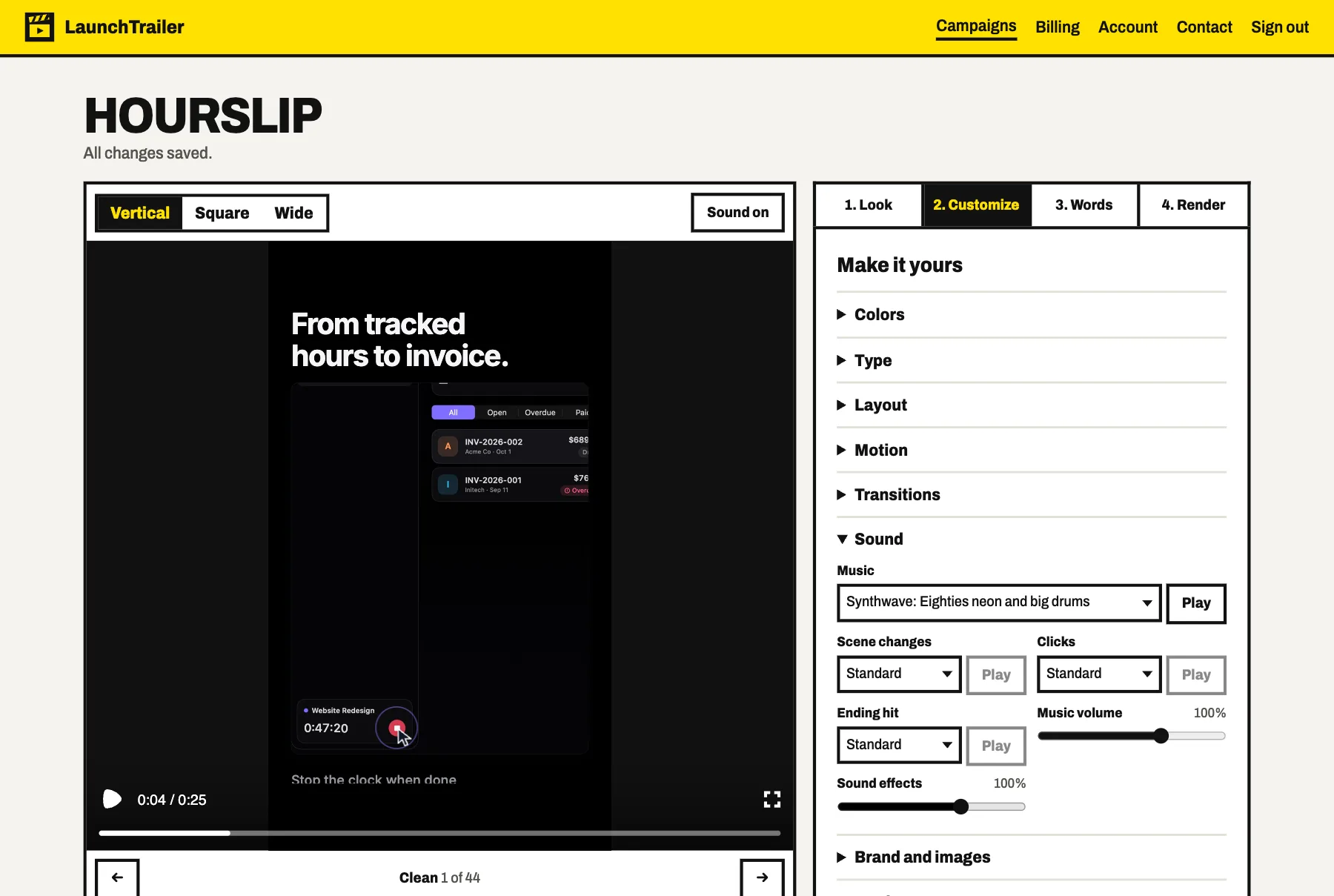
After picking a look I tend to change something: the accent to the app’s own colour, a font, the transition between scenes. The music is a choice too, from 12 tracks, and so are the sounds on the cuts, the clicks and the last hit. The preview plays with sound while I fiddle, so I hear the change before I pay for a render.
5. Render and post
A full set is up to 18 videos of 25 seconds: three hooks, two calls to action, three formats. It takes about 20 minutes, and I get an email when it is done. The wide one goes to YouTube for the Product Hunt listing, the vertical ones go to Reels and Shorts, and the square ones go in the launch posts.
Two of the results are on LaunchTrailer’s own home page, made straight from hourslip.app and snagfrog.com with nobody touching them in an editor: “Hours slip. Invoices shouldn’t.” and “Go to sleep with bugs.”
How does that compare with the other ways?
These are the routes I actually considered. The prices are what the linked pages said on November 1, 2026, so check them before you rely on them.
| Route | What it costs | How long it takes |
|---|---|---|
| Record it yourself in Screen Studio | $29 for a month | Hours of your own time |
| LaunchTrailer, one campaign | $49 for up to 18 videos, about $2.72 each | About 20 minutes to render, plus your review |
| A Fiverr gig, 30 seconds | About $80 to $210 on the listings I saw | About 2 to 5 days |
| A freelancer | $1,000 to $3,000 a video | 1 to 3 weeks |
| A studio | $3,000 to $8,000 a video | 2 to 4 weeks |
The subscription is $49 a month for 5 campaigns, so if I launch more than one thing in a month the price per video drops a lot. With all five used it works out at about 54 cents a video.
Money is only half of it, though. A freelancer or a studio gives you something LaunchTrailer can’t: an original idea, a story, a film built around your brand. If that is what the launch needs, pay for it. What I usually need is a short, accurate set of videos for every feed by tomorrow, and that is the job LaunchTrailer does.
When I’d use something else
I’d rather tell you this than have you find out after paying:
- For a walkthrough: LaunchTrailer’s videos are 25 seconds. They can tease a workflow but not teach it. For a proper demo I still use a screen recorder such as Screen Studio or Tella.
- For a voice or a presenter: there is no voiceover. The videos have music, sound effects and big on-screen text, which also means they work muted. If you want narration, Clueso does voiced product videos and HeyGen does avatars.
- For a demo people can click, Arcade and Supademo are built for that, and Product Hunt lets you add them to your gallery.
- For lots of ad variations with actors, Creatify does AI actors and ad templates. LaunchTrailer only uses your real product.
- For frame-by-frame control, look elsewhere. You edit the copy, the look, the motion and the sound, not individual frames. If you want to move one thing three pixels at second 14, open an editor.
What I’d tell another indie developer
Make the video from your real screens, keep the claims to what your page can back up, and make every shape the feeds ask for. You can do all of that by hand. Now I paste a link, spend a few minutes being picky about colours, and get back to the part of the launch that needs me.
LaunchTrailer is $49 a month, and every account gets one free preview of the copy and the video, so you can see your own product in it before paying. It lives at launchtrailer.app, and there is more about it on its page here.