LittleFit
Fit your images under the upload limit.
- Free for 3 images per batch; Pro $12 USD once
- macOS 14 or later
- Apple silicon and Intel
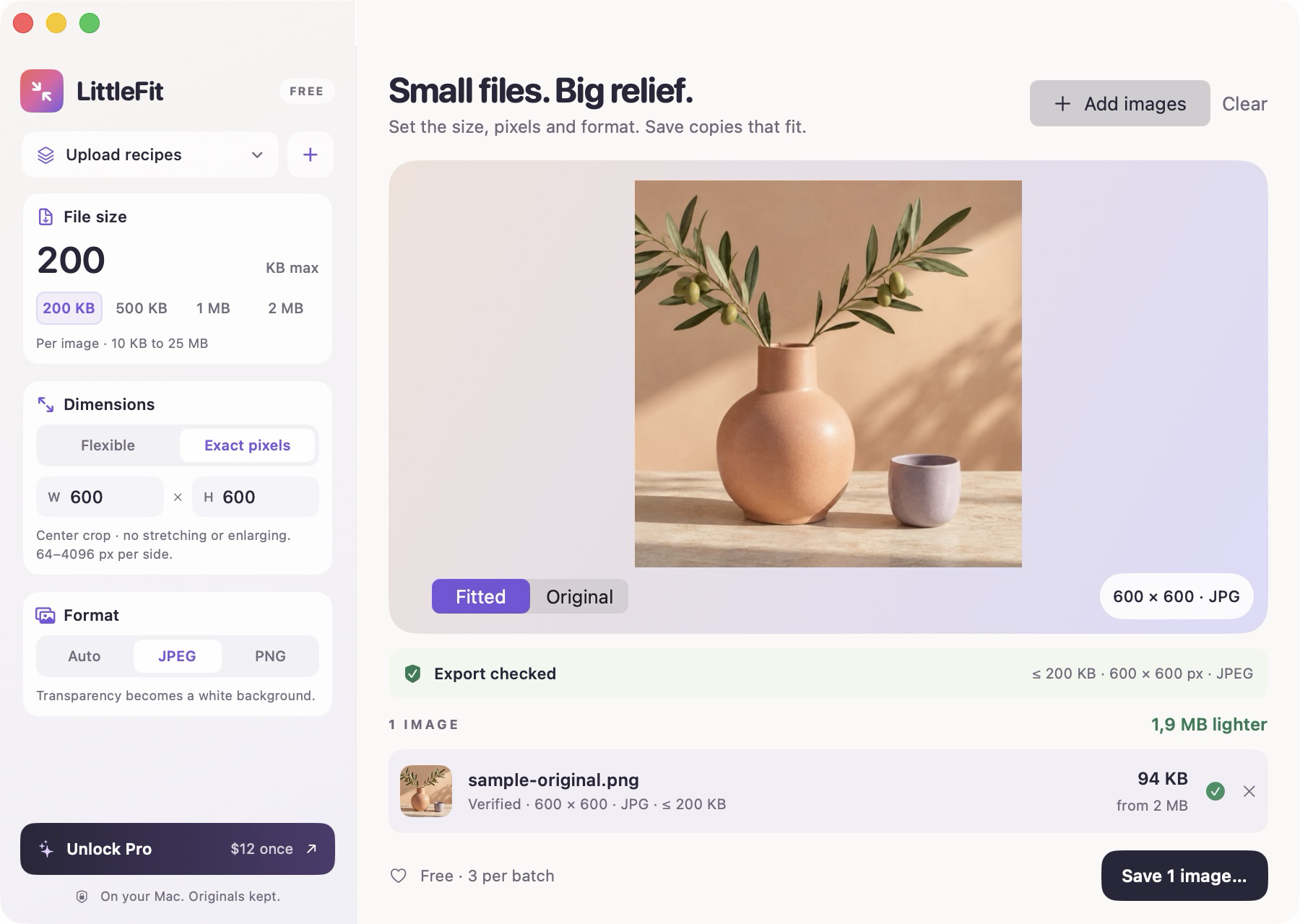
LittleFit, running
What LittleFit does
When a form rejects an image for being too large, choose its file-size ceiling in LittleFit. Add the required pixels and output format if the form specifies them. Preview the result, then save a new copy.
Save the requirements as a recipe for the next upload. LittleFit checks the finished file against your chosen bytes, dimensions and format before marking it ready. Your originals stay where they are.
What you can do
-
Choose the size you need
Set a ceiling from 10 KB to 25 MB per image. Flexible mode adjusts quality and, when needed, dimensions. If an image cannot fit, you get an explanation instead of an oversized export.
-
Set exact pixels and format
Choose a width and height from 64 to 4096 pixels per side, with a center crop and no enlarging. Export JPEG or PNG. Automatic mode uses JPEG for opaque images and PNG for transparency.
-
Save repeat upload settings
Keep up to 20 named recipes on your Mac, including file-size limits, pixel rules and output format. Recipes and exact-pixel fitting are included in Free.
-
Preview and save a new copy
Compare the original with the fitted image before saving. Exports leave source EXIF, GPS and camera metadata behind, and use new filenames without replacing existing files.
Pricing
Start with the free download. Buy Pro through Polar and paste the license key into the app for larger batches. Applicable taxes appear at checkout.
- LittleFit FreeFree
Up to 3 images per batch. All fitting features included.
- File-size, exact-pixel and format controls
- Saved recipes and export verification
- Local processing, metadata removal and no watermark
- LittleFit Pro$12
USD, paid once. Up to 500 images per batch.
- Everything in Free
- Use on your personal Macs
- Version 1.x updates included
What you need
- Mac
- macOS 14 Sonoma or later, on Apple silicon or Intel.
- Files
- Single-image JPEG, PNG, HEIC, TIFF and BMP inputs. No PDF, video, animated or multi-page images.
- Output
- JPEG or PNG, with a file-size ceiling from 10 KB to 25 MB. Exact mode supports 64 to 4096 pixels per side.
- Privacy
- Image processing stays on your Mac. No image uploads, account or analytics in the app.
- Internet
- Free use works offline. Pro activation requires internet and works offline for 30 days after each successful license check.
- Download
- Developer ID signed and Apple notarized. Download the disk image from the LittleFit website.
Questions about LittleFit
How much does LittleFit cost?
- Free includes all fitting features for up to 3 images per batch. Pro costs $12 USD once for up to 500 images per batch on your personal Macs, with version 1.x updates. Applicable taxes appear at checkout.
Will it meet a specific upload limit?
- Successful exports meet the file-size ceiling, pixel rule and format you choose. If LittleFit cannot meet them, it tells you. A website can still reject an image for other requirements or its content.
Will the image look the same?
- JPEG compression is lossy, and smaller targets may require smaller dimensions. Exact-pixel mode crops the center without enlarging. Automatic mode keeps transparency as PNG; explicit JPEG replaces it with white. Preview the result before saving.
What happens to my original images?
- Your originals stay untouched. LittleFit writes new copies with -littlefit filenames and adds a number if a name already exists. Processing stays on your Mac.