
Time tracker for Mac, Windows and Linux
HourSlip
Track the hours. Send the invoice.
Free public beta·macOS 14+, Windows 10+ and Linux
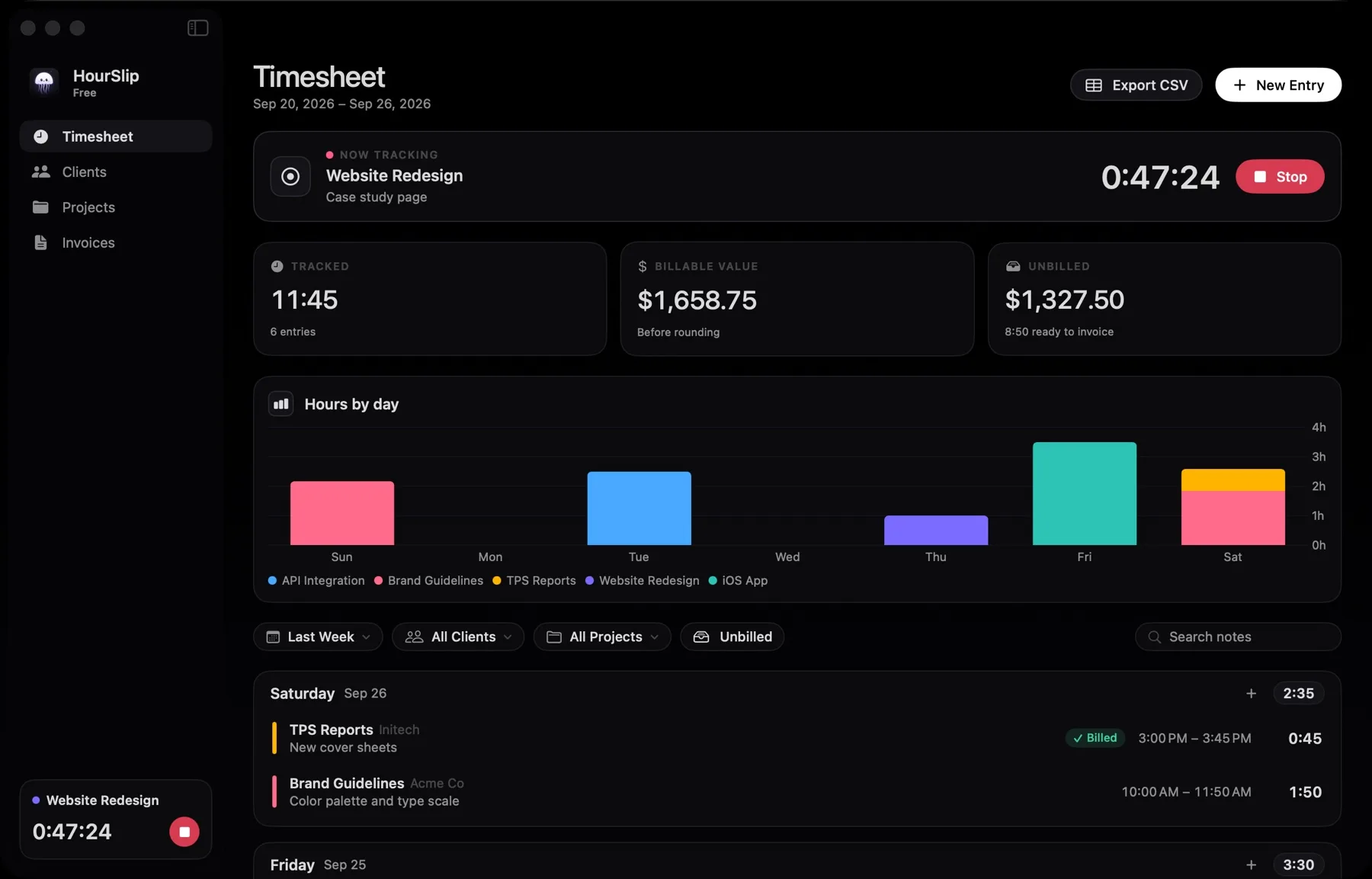
What HourSlip does
HourSlip sits in the menu bar. Press play on a project, type a note and stop when you are done. If you quit or the Mac restarts, the timer keeps its start time. It warns you about a timer left running overnight and asks what to do with time the Mac spent asleep.
When it is time to bill, pick a client and a period. HourSlip collects the unbilled time, rounds each entry to 1, 6 or 15 minutes, adds tax and numbers the invoice. Check the PDF preview, export it, then mark it sent and later paid. Your data stays on your Mac.
What you can do
-
Time from the menu bar
Start, switch and stop projects without opening a window. Continue your last entry in one click and see today's total at a glance.
-
Clients, rates and budgets
Give each client a rate, currency and payment terms. A project can override the rate and carry an hour budget that warns you before you run over.
-
Invoices from unbilled time
Invoices apply your rounding and tax, whether you call it VAT, GST or something else, and number themselves. Add fixed fees, expenses, a discount or a PO number, and save templates with your own title, accent color, font and columns. Rates, business details and the template are fixed when an invoice is issued, so old invoices never change.
-
Your data stays on your computer
There is no account, and your data never leaves your computer. Export CSV, import a Toggl Track report, and let HourSlip keep daily backups.
Pricing
Start with the free beta. Buy Pro through Polar and paste the license key into the app when you need more than one client. Applicable taxes appear at checkout.
- HourSlip betaFree
The public beta, with tracking and invoicing.
- Menu-bar timer, timesheet and charts
- PDF invoices for one client, with a small HourSlip footer
- Backups, CSV import and JSON restore
- HourSlip Pro$29
USD, paid once. One computer per key.
- Everything in the beta
- Unlimited clients
- Invoices without the footer, and CSV export
What you need
- Mac
- macOS 14 Sonoma or later, on Apple silicon or Intel.
- Windows and Linux
- Windows 10 or 11 (64-bit), or 64-bit desktop Linux with an AppImage or a .deb package.
- Privacy
- Clients, time and invoices stay on your computer. The only network call checks a Pro license key with Polar.
- Download
- From the HourSlip website: a Mac disk image signed and notarized by Apple, a Windows installer and Linux packages. The Windows beta is not code-signed yet, so SmartScreen asks once.
Questions about HourSlip
How much does HourSlip cost?
The beta is free. It covers one client, and invoices carry a small HourSlip footer. Pro is $29 USD once through Polar, for unlimited clients, invoices without the footer and CSV export. One key works on one Mac at a time.
Is the download signed and notarized?
Yes. The beta is signed with a Developer ID and notarized by Apple, so it opens with a double-click.
Does it track what I do on my Mac?
No. It only records time you start yourself. It does not watch your screen or apps, and it has no network access.
Can I bring my history from another tracker?
Yes. Settings imports Toggl Track detailed reports and HourSlip's own CSV, and creates any clients and projects that are missing.