macOS dictation
Gabble
Hold a key and talk. Your Mac types it, and the audio never leaves it.
Free·macOS 14 or later, Apple silicon·Notarized, no account
What Gabble does
Gabble is dictation for people who would rather not send their voice to a server. Hold Right Option in any app, say what you want to write, and let go. The text is pasted where your cursor is and your clipboard is put back the way it was. Tap the key once if you want to talk for longer with your hands free.
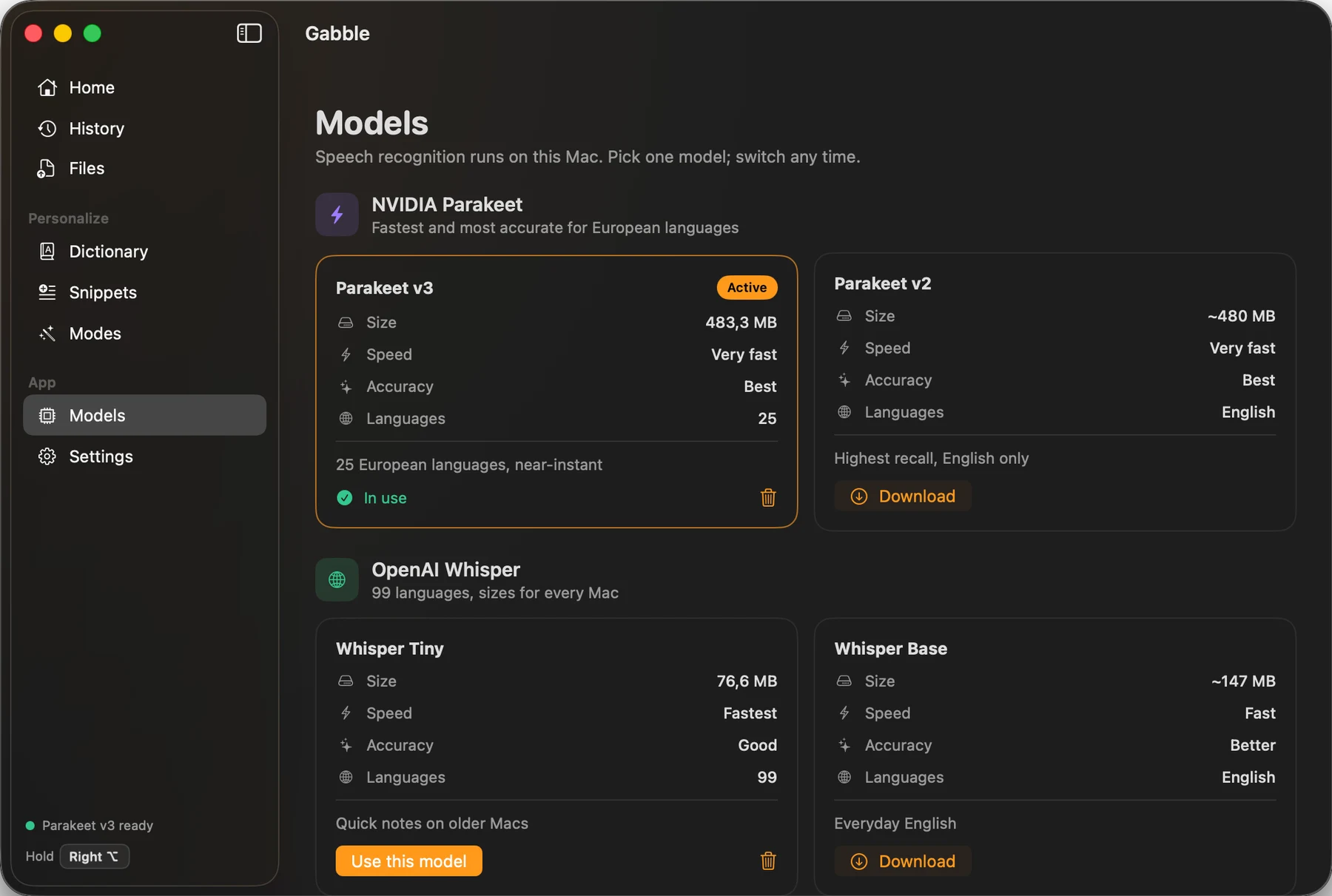
The speech model runs on your Mac. You pick one of seven: NVIDIA Parakeet for speed in 25 European languages, or OpenAI Whisper in sizes from 77 MB up for 99 languages. A ten-second thought comes back in well under a second on Apple silicon, and it works on a plane because nothing is uploaded.
What comes out is cleaner than what you said. Gabble drops the ums and the repeated words, spells the names you taught it, and expands your snippets. It also changes style with the app in front, so Mail gets an email and Slack gets a short message. That last part uses a language model, which is off until you point it at Ollama on your own Mac or at your own API key.
The parts worth knowing about
Not the whole list - the app has more screens than a page like this can usefully hold. These are the decisions that make Gabble different from the last one you tried.
-
Dictate into any app
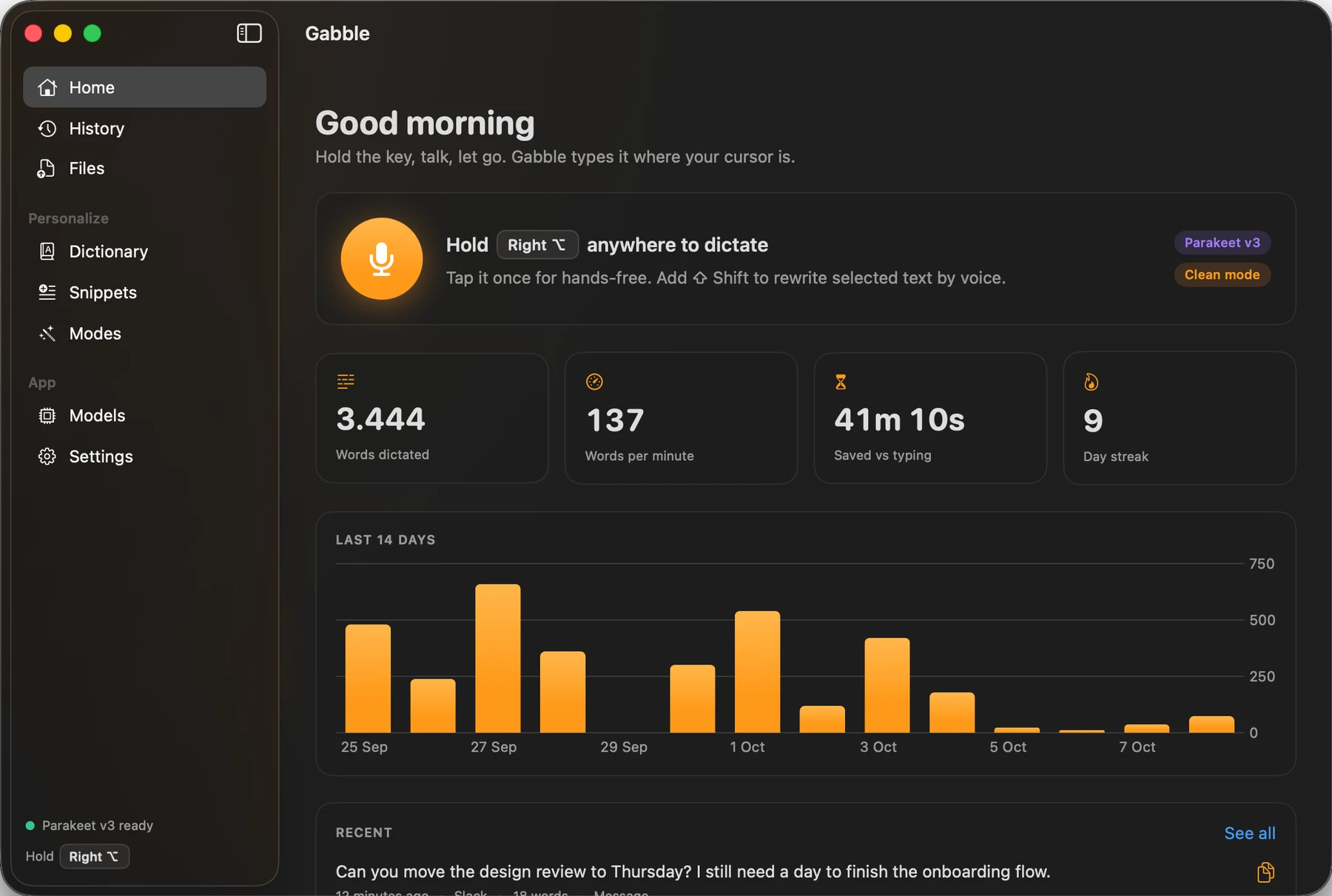
Slack, Mail, Notion, VS Code, Cursor, a browser field. If you can type there you can talk there. Hold the key to talk, tap it for hands-free, press Esc to cancel.
-
Seven speech models, all on your Mac
Parakeet v3 and v2, and Whisper from Tiny to Large v3 Turbo, run through Core ML. Download one, switch whenever you like, and delete the ones you do not use.
-
Modes that follow the app in front
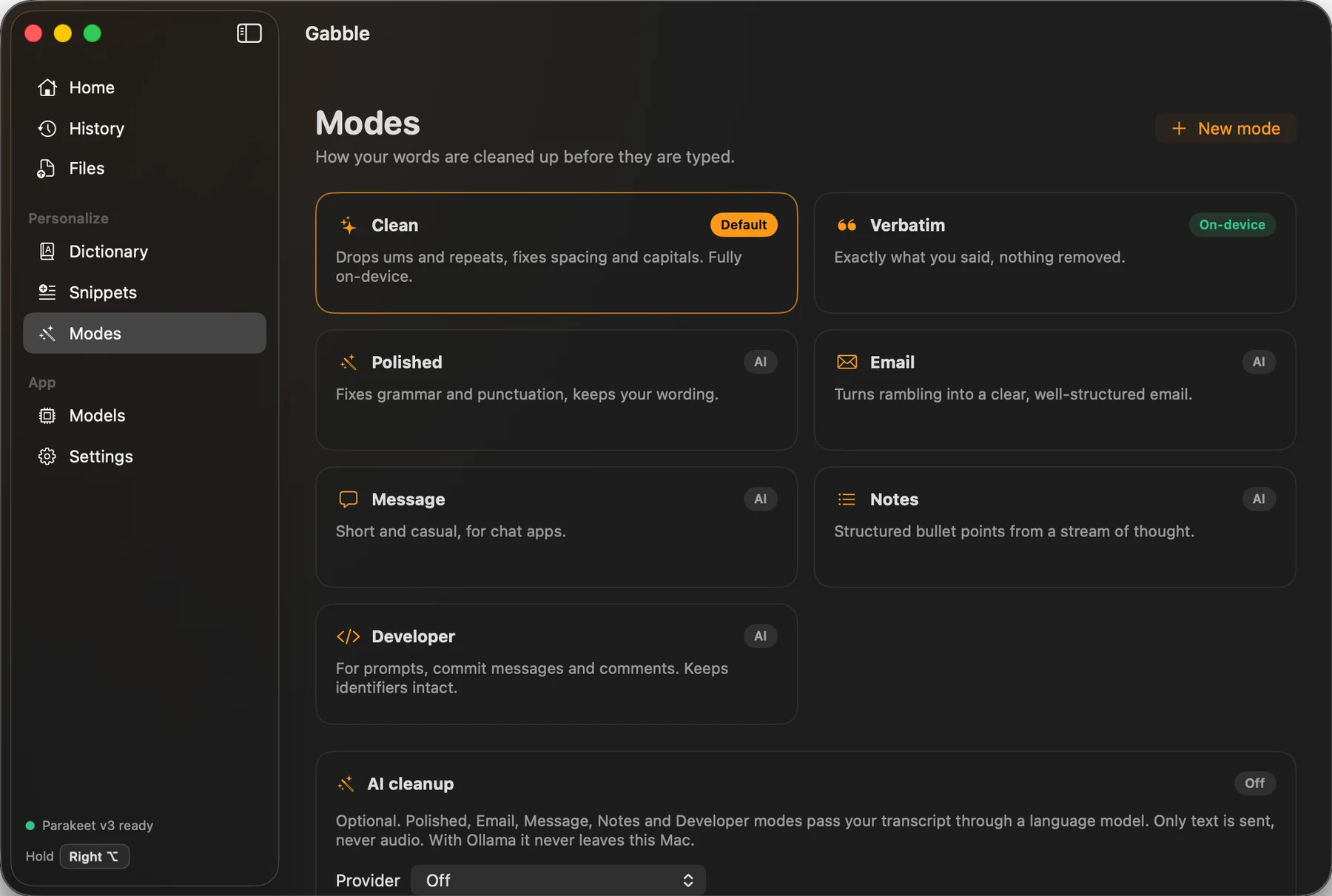
Clean and Verbatim work on-device. Polished, Email, Message, Notes and Developer rewrite with a language model, and you can write your own. Per-app rules pick the mode for you.
-
A dictionary for your names and jargon
Add a word once and Gabble fixes its spelling and capitals every time. Add what it tends to mishear, such as "snag frog", and it corrects that too.
-
Snippets you trigger by voice
Say "my email address" or "calendar link" in the middle of a sentence and the full text is typed in its place.
-
Rewrite selected text by voice
Select a paragraph, hold Shift with the dictation key and say "make this shorter". This one needs the AI cleanup turned on.
-
Recordings and videos into text
Drop a voice memo, a meeting recording or a video on the Files page and read the transcript a moment later. It is processed on your Mac like everything else.
-
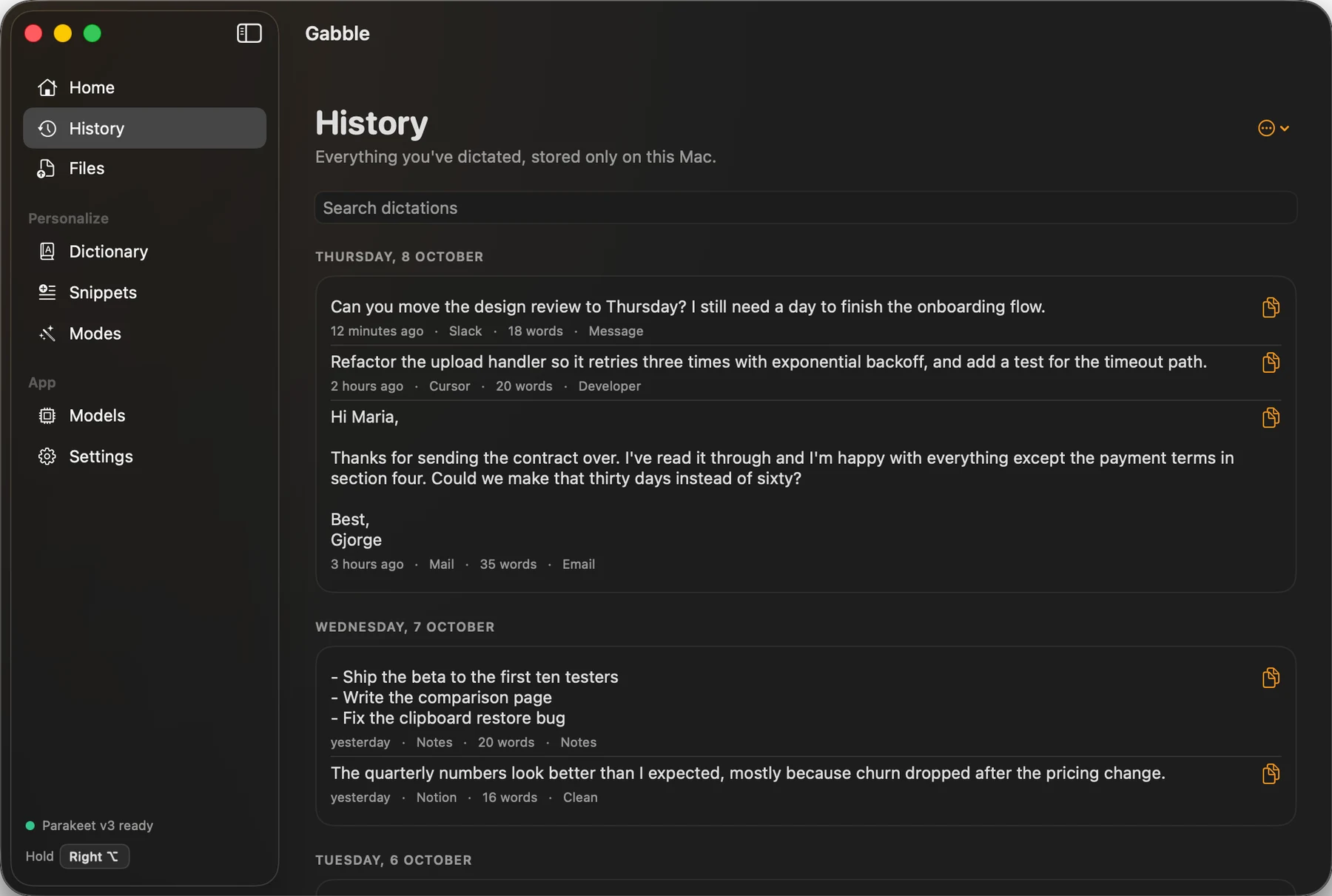
A history you can search, and delete
Every dictation is kept as plain JSON on your disk with the app it went to. Keep it forever, for a week, or not at all. The home page counts your words, your speed and the time you saved.
Gabble, running
Pricing
Gabble is free while it is in beta. Transcription happens on your Mac, so there is no per-minute server bill behind it. The optional AI cleanup uses Ollama or your own API key, and any cost of that key is between you and the provider.
- GabbleFree
Download it and use it. There is no account to make and no word limit.
- Every feature, including all seven speech models
- No subscription and no trial timer
- Updates itself through a signed feed on its own site
What you need
- Mac
- macOS 14 or later
- Processor
- Apple silicon
- Latest version
- 0.1.1 beta
- Where it comes from
- A 15 MB disk image from its own site, signed and notarized by Apple. Speech models are a separate download of 77 MB to about 650 MB each.
- Permissions
- Microphone, and Accessibility so it can see the dictation key and paste into other apps
- Account
- None
- Your data
- Audio is held in memory and never saved or uploaded. History, dictionary and snippets are plain JSON in ~/Library/Application Support/Gabble. If you turn on AI cleanup with an API key, the transcript text goes to the provider you chose.
- Not yet
- Live text while you speak, meeting recording with speaker labels, and versions for Intel Macs, Windows or iPhone
Questions about Gabble
How much does Gabble cost?
Nothing. It is free while it is in beta, with every feature included, no word limit and no account.
Does my audio leave my Mac?
No. Audio is held in memory, transcribed on the Mac and discarded. The optional AI cleanup sends transcript text only, to Ollama on your own Mac or to the provider whose API key you entered, and it is off by default.
What does Gabble run on?
macOS 14 or later on Apple silicon. It is a 15 MB disk image from its own site, signed and notarized by Apple, and it updates itself.
Which languages does it understand?
Parakeet v3 covers 25 European languages. The multilingual Whisper models cover 99. Parakeet v2, Whisper Base and Distil Large v3 are English only.
Does it work offline?
Yes. After the one-time model download, dictation, cleanup, the dictionary, snippets and file transcription all work with no connection. AI cleanup through a cloud API key is the one part that needs one.