Browser PDF editor
Folio
Edit a PDF without uploading it.
Free·Runs in your browser·Your files stay on your device
What Folio does
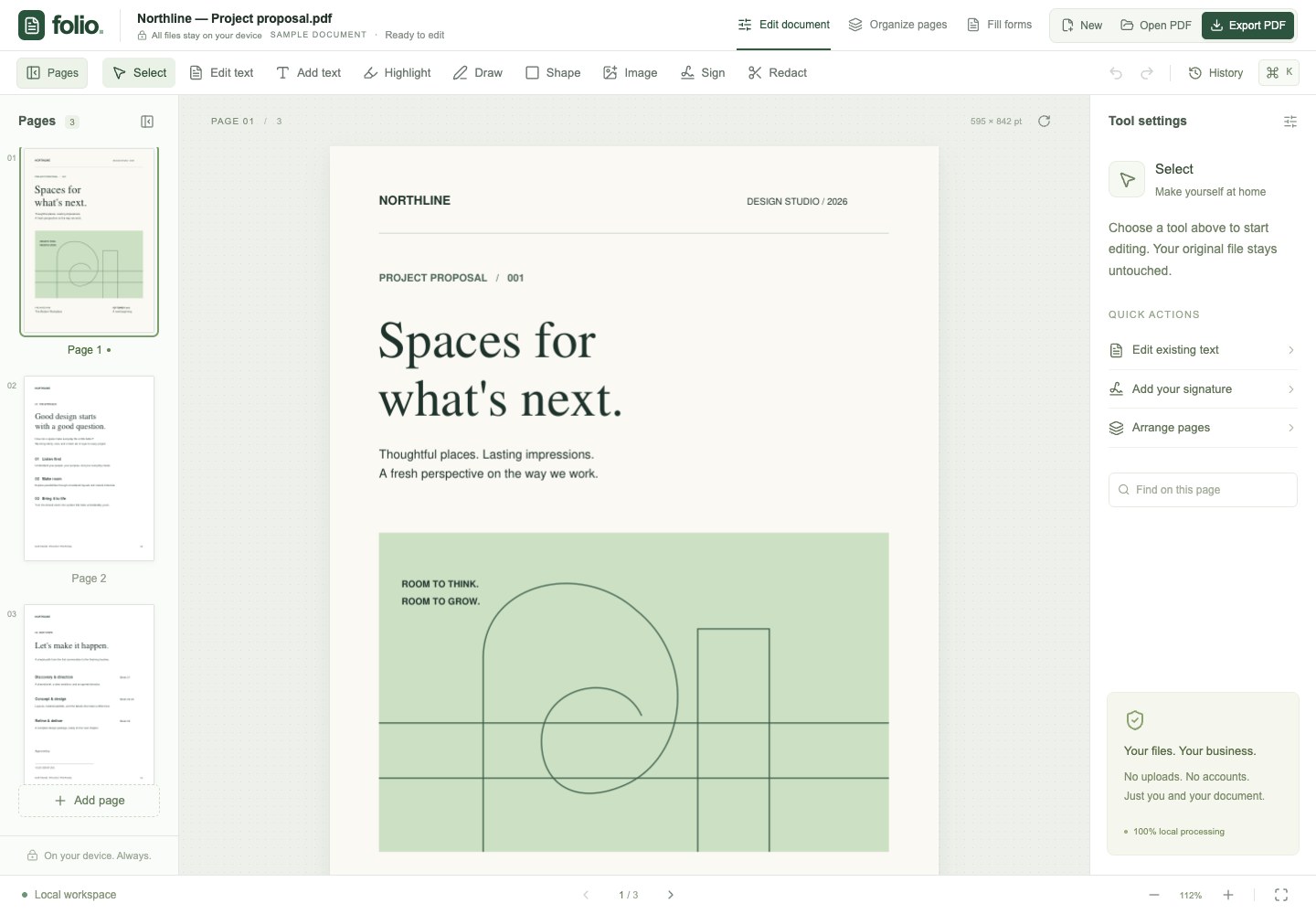
Open a PDF, make your changes and download the result. You can replace a line of text, draw a signature, add an image or put the pages in the right order. You do the work in your browser, on your own device.
I built Folio for the edits that turn up between other jobs: signing a form, fixing a typo or pulling a few pages out of a longer document. You can start with the sample PDF to try the tools before opening your own file.
What you can do
-
Edit text on the page
Click a line to open a small editor beside it. Change the words, typeface, size or color. Choose from built-in PDF fonts and ten Google Font families.
-
Draw and resize your signature
Draw with your mouse, trackpad or finger, then place the signature on the page. Drag its edges to change the width or height.
-
Adjust images
Add an image, drag it into place and resize it. Use the side panel to rotate, flip or change its opacity.
-
Put pages in order
Rearrange, rotate, duplicate or delete pages. Merge another PDF, or export selected pages into a separate file.
-
Go back to an earlier edit
Undo a change or restore a version from the history panel. Folio keeps up to 50 versions during your session, within its memory limit.
-
Keep working offline
Load Folio once and wait for the offline-ready message. You can then reopen the editor without an internet connection. The fonts work offline too.
Pricing
You do not need an account. Download your edited PDF before closing the tab.
- FolioFree
Open the editor and use the tools.
- Text, signatures and images
- Page tools and PDF export
- Offline use after the first load
What you need
- Browser
- A current desktop or mobile browser.
- Files
- Open an unlocked PDF, or create a blank document.
- Saving
- Download your PDF to keep your changes. Document history lasts for the current session.
- Scans
- You can add text over a scanned page. Folio does not include OCR.
Questions about Folio
Do you upload my PDF?
No. Folio processes your PDF in your browser. Your document contents stay on your device.
Can I edit a scanned PDF?
You can add text, signatures and images over a scan. Folio does not include OCR, so you cannot select and replace the words in a scanned image.
Will I keep my edits after closing the tab?
Download the PDF before you close the tab. Folio keeps the open document and its version history in memory for the current session.
Will the fonts look the same in the download?
Folio embeds the selected Google Fonts in the exported PDF. The person opening your file does not need to install them.