macOS meeting notes
Earshot
Meeting notes written on your Mac, and a nudge when someone asks you something.
$39 once, 7-day free trial·macOS 14 or later, Apple silicon·No meeting bot
What Earshot does
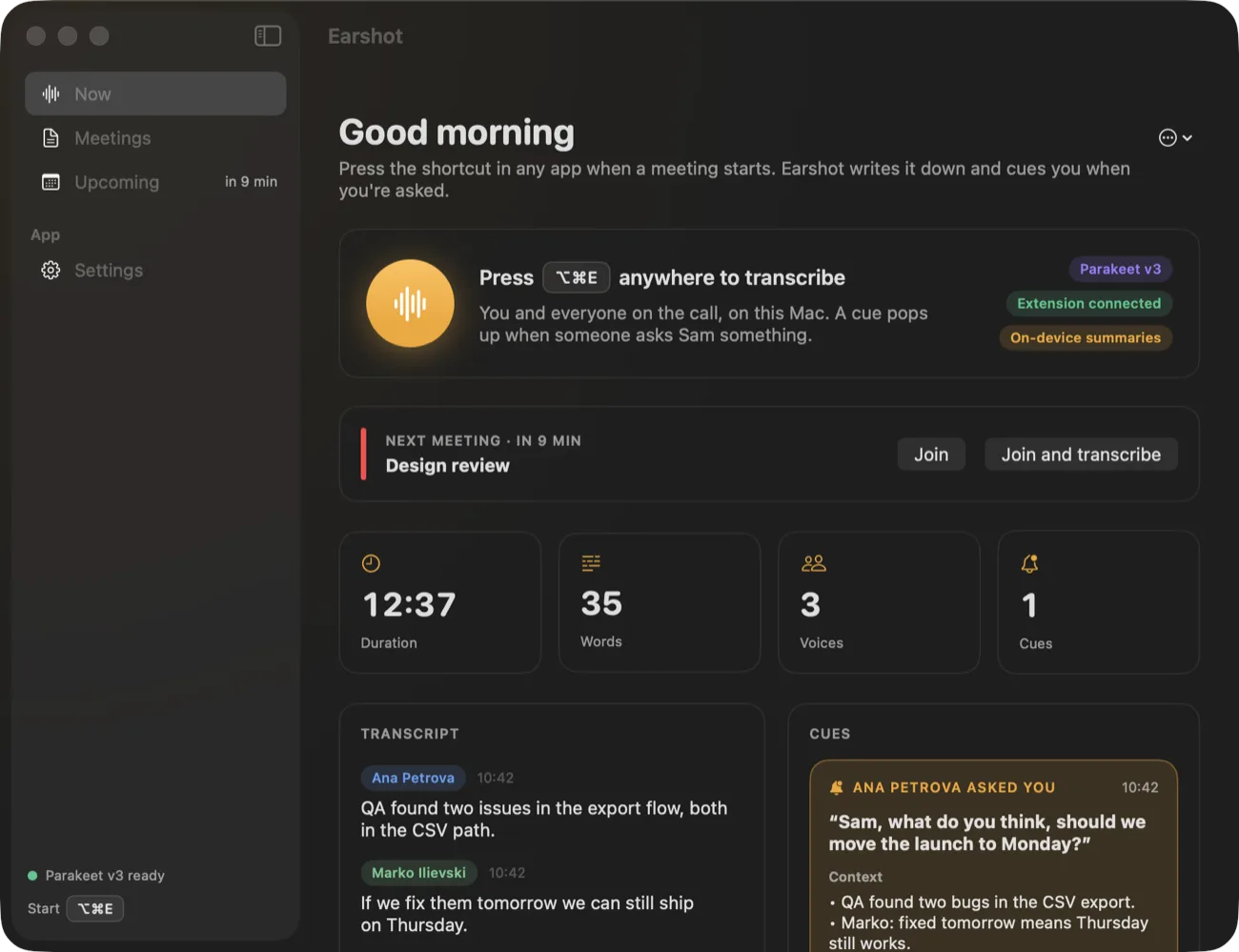
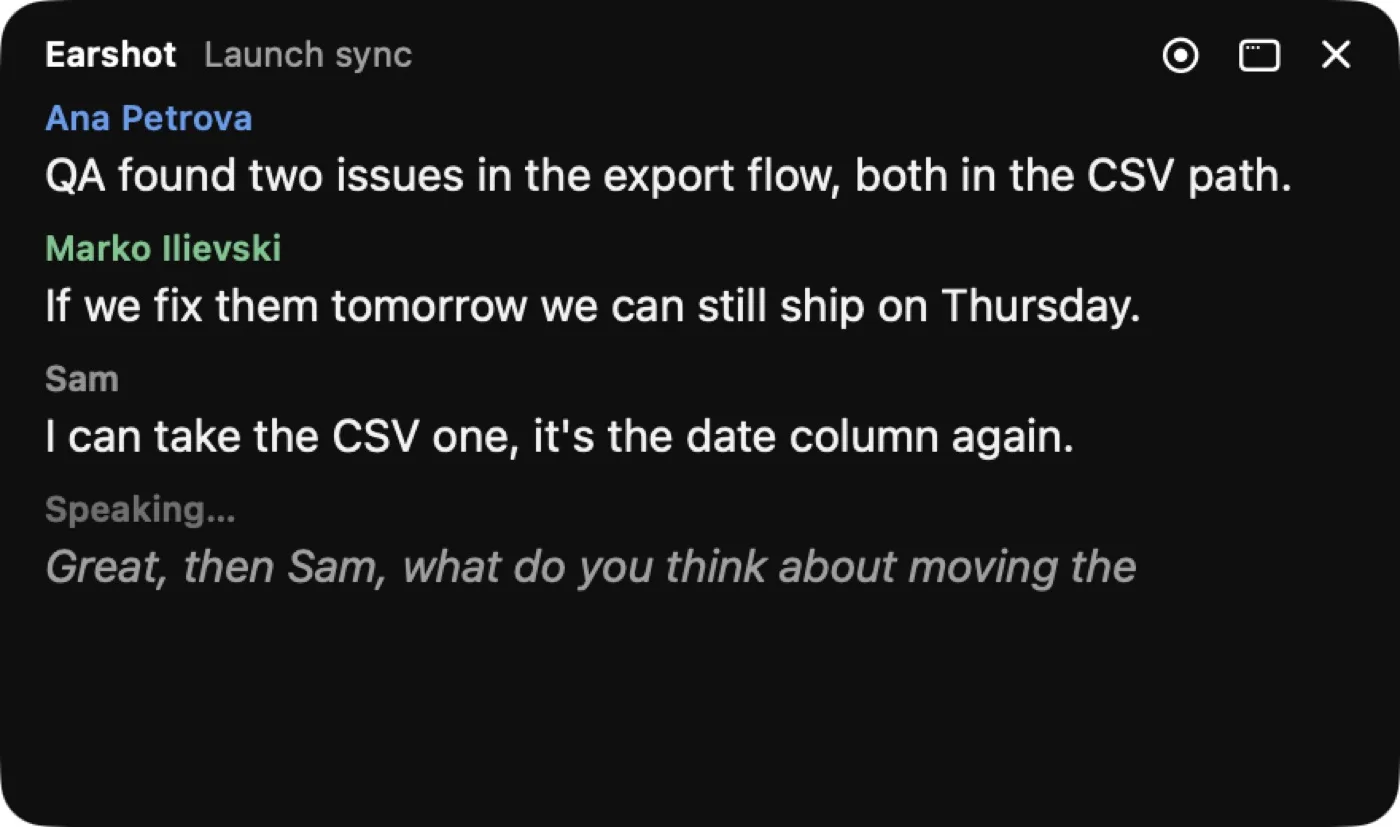
Earshot writes down your meetings on your Mac. Your microphone is you and the Mac's own audio is everyone else, so it works with whatever call app you use and nobody has to let a bot into the meeting. Press ⌥⌘E in any app when the call starts and a see-through window shows the transcript as people talk.
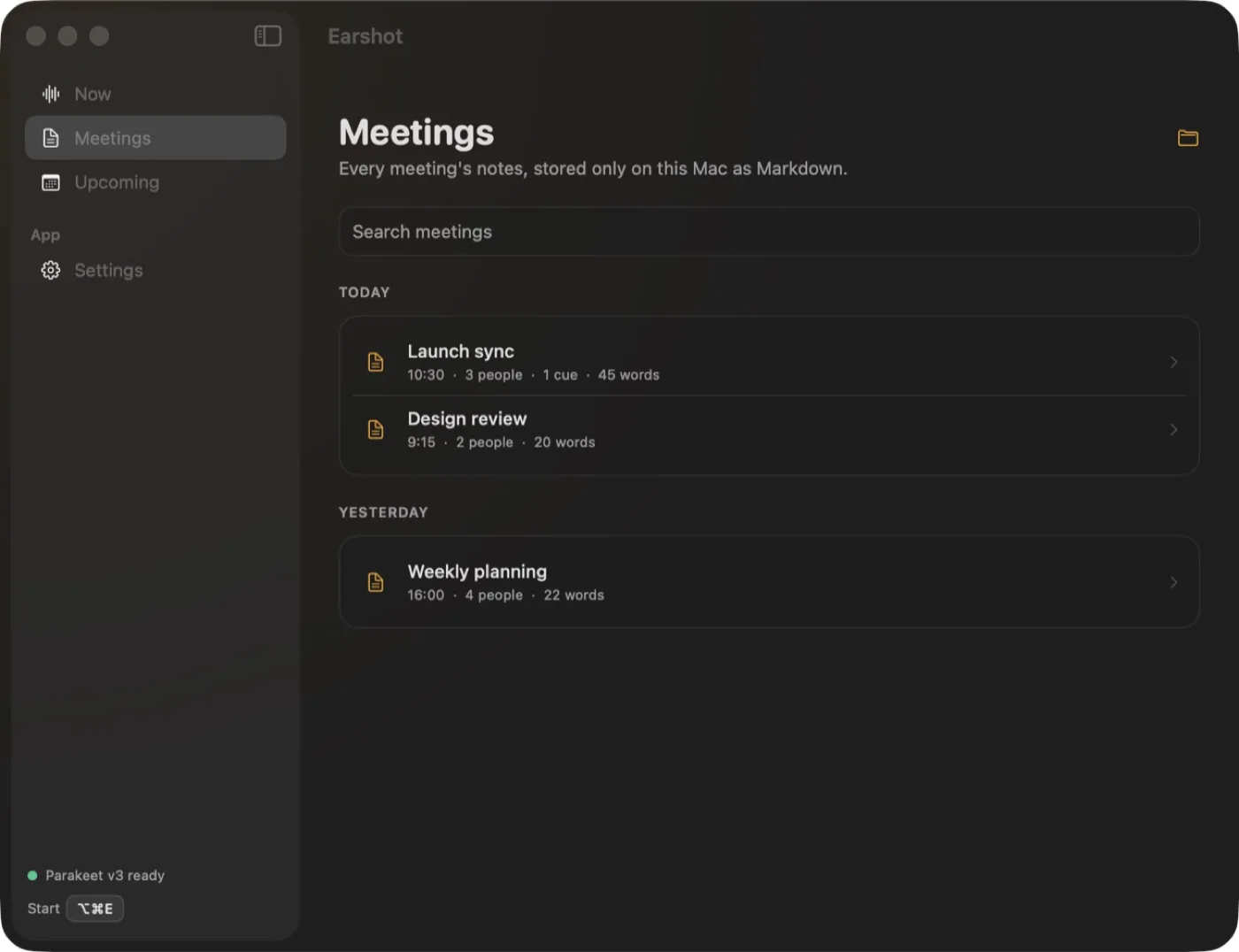
It never records audio. Speech turns into text in memory and the sound is dropped. The notes are Markdown files in ~/Documents/Earshot, so they open in any editor and stay on your disk. The speech model is NVIDIA Parakeet, running on the Mac in about a tenth of a second per sentence, in 25 European languages.
Then there is the cue. You give Earshot your name and any other trigger words, and when someone says one and asks a question, an amber card floats over whatever you have open. It shows the question, who asked it, what led up to it and a suggested answer, so being called on in the middle of reading something else stops being a scramble.
The parts worth knowing about
Not the whole list - the app has more screens than a page like this can usefully hold. These are the decisions that make Earshot different from the last one you tried.
-
Your mic and the Mac's audio, with no bot
Earshot listens to your microphone for you and to the Mac's sound for everyone else. Nothing joins the call, so there is no stranger in the participant list.
-
A cue when someone asks you something
Set your name as a trigger word. When someone says it and asks a question, a floating amber card shows the question, who asked, the lead-up and a suggested answer, written by Apple Intelligence on the Mac when it is available.
-
It knows who said what
Earshot tells voices apart. With the free Earshot for Google Meet extension for Chrome, Arc, Brave, Edge or Vivaldi, the voices get people's real names and the transcript stops when the call ends.
-
A live transcript you can see through
⌥⌘E starts it from any app. The window floats over your work and is translucent, so it does not cover the slides you are looking at.
-
Your next meeting in the menu bar
Earshot reads your calendar and shows what is coming up next. Join opens the call, and Join and transcribe opens it and starts the notes in one click.
-
A summary when the meeting ends
Apple Intelligence writes a summary, the decisions and the action items at the end of each meeting, on the Mac. The transcript itself is cleaned of ums and stutters.
-
A dictionary for names
Teach it your colleagues' names and your product words once, and the transcript spells them right from then on.
-
Notes as Markdown files
Every meeting is a Markdown file in ~/Documents/Earshot. Search them in the app, or open the folder in whatever you already use for notes.
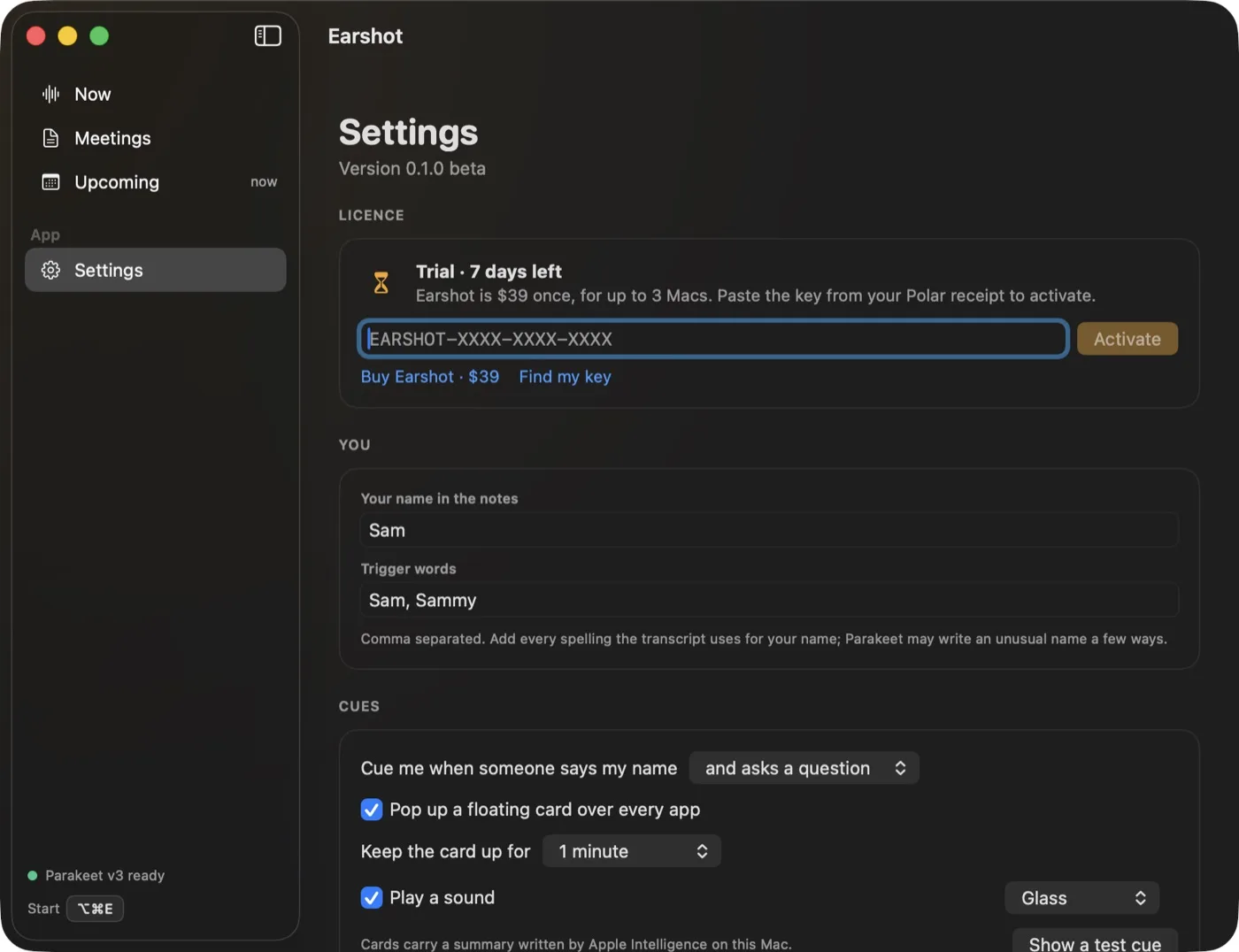
Earshot, running
Pricing
The trial is the whole app for 7 days. The licence is sold through polar.sh, and transcription runs on your Mac, so there is no per-minute bill behind it.
- Earshot licence$39
Paid once. Not a subscription. Try it free for 7 days first.
- Every feature, including cues and summaries
- Up to 3 Macs on one licence
- Paste the key from your Polar receipt into Settings
What you need
- Mac
- macOS 14 or later
- Processor
- Apple silicon
- Latest version
- 0.1.2 beta
- Speech model
- NVIDIA Parakeet, on the Mac, 25 European languages
- Summaries and suggested answers
- Apple Intelligence on the Mac, when it is available
- Names in Google Meet
- The free Earshot for Google Meet extension, for Chrome, Arc, Brave, Edge or Vivaldi
- Your data
- Audio is never recorded: speech becomes text in memory and the sound is dropped. Notes are Markdown files in ~/Documents/Earshot.
Questions about Earshot
How much does Earshot cost?
$39, paid once, for up to 3 Macs. There is a 7-day free trial with every feature.
Does Earshot record my meetings?
No. It never records audio. Speech becomes text in memory and the sound is dropped. The notes are Markdown files in ~/Documents/Earshot.
Does a bot join the call?
No. Earshot listens to your microphone for you and to the Mac's audio for everyone else, so nothing joins the meeting.
What does Earshot run on?
macOS 14 or later on Apple silicon. Summaries and suggested answers use Apple Intelligence on the Mac when it is available.
Which languages does it understand?
The 25 European languages NVIDIA Parakeet covers. The model runs on your Mac.
Can it tell who is speaking?
Yes, it tells voices apart. With the free Earshot for Google Meet browser extension, the voices get people's real names and Earshot stops when the call ends.
$39 once, 7 days free