
macOS screen recorder
Capta
The screen recorder that edits itself.
Free with a small mark, $19 once removes it·macOS 14 or later, Apple silicon·Notarized, 17.3 MB·No account
What Capta does
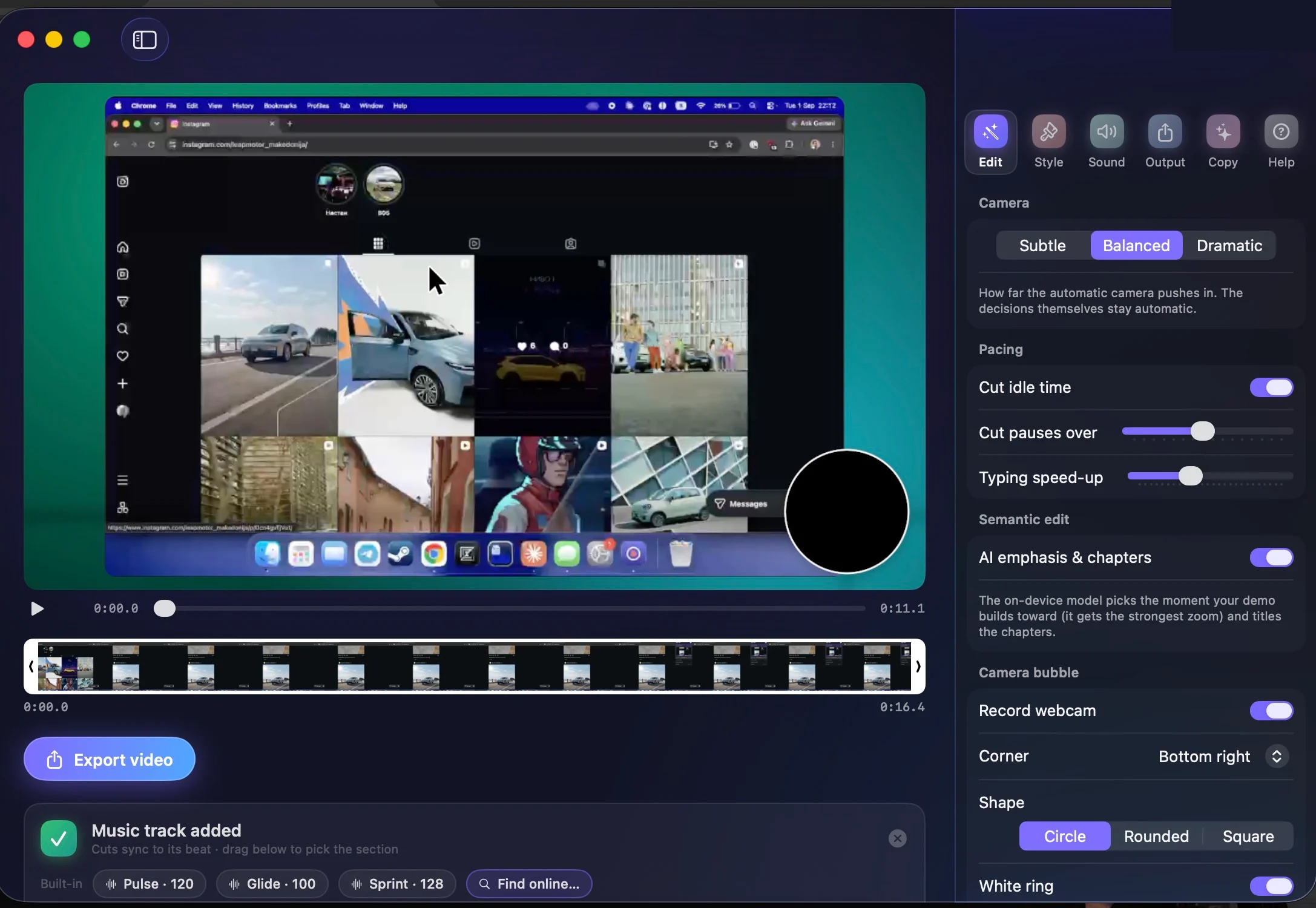
Record a demo of your app and every screen recorder on the market hands you the same thing back: your footage, untouched, with the pauses and the typos and the minute of fumbling left in, and a timeline in which to spend your evening fixing that. Capta hands you the edit. While you record it watches your clicks, your typing and your scrolling, and when you stop it has already chosen the zooms, cut the dead air, sped up the typing and set the pacing.
The camera work is the part you notice first. Capta reads the UI element under every click and frames it with spring-damped moves that glide rather than snap - and when an app will not say what you clicked, it finds the dialog in the pixels and frames that instead. Drop in a music track and every cut lands on the beat; no track handy, and three built-in ones or a Creative-Commons search are one click away, with a drag handle to pick exactly which stretch of the song plays.
Talk while you record and Capta transcribes you on the Mac itself, burns in captions, steers cuts and speed-ups around your sentences, and ducks the music under your voice. Flip the camera on and you appear in a bubble in one of eight shapes, or in a column beside the video that stays in view while the screen zooms; flip system audio on and the app's own sounds come along. With Apple Intelligence, or a small model you download once, it also picks the moment your demo builds toward, titles its chapters, and writes the video's title, caption and social post from what actually happened on screen - and that title can open the video as a card, with your call to action closing it.
When the automatic edit is not quite it, the timeline is there: video, zoom, audio and words lanes on one axis, where any zoom can be dragged, stretched, re-levelled or deleted and any transcribed line rewritten, every change undoable. Export with title and end cards in one of seven designs, and share with one click - the video goes to your own iCloud Drive and comes back as a link anyone can open.
The same take can also come out as a guide. Switch the editor to Guide and every click becomes a numbered screenshot with the control boxed and a sentence under it, with typing and shortcuts getting steps of their own. Fix what a reader would trip on, then export it as a PDF or copy it as rich text - or, with a licence, as Markdown, a web page or an article pushed into Hudu.
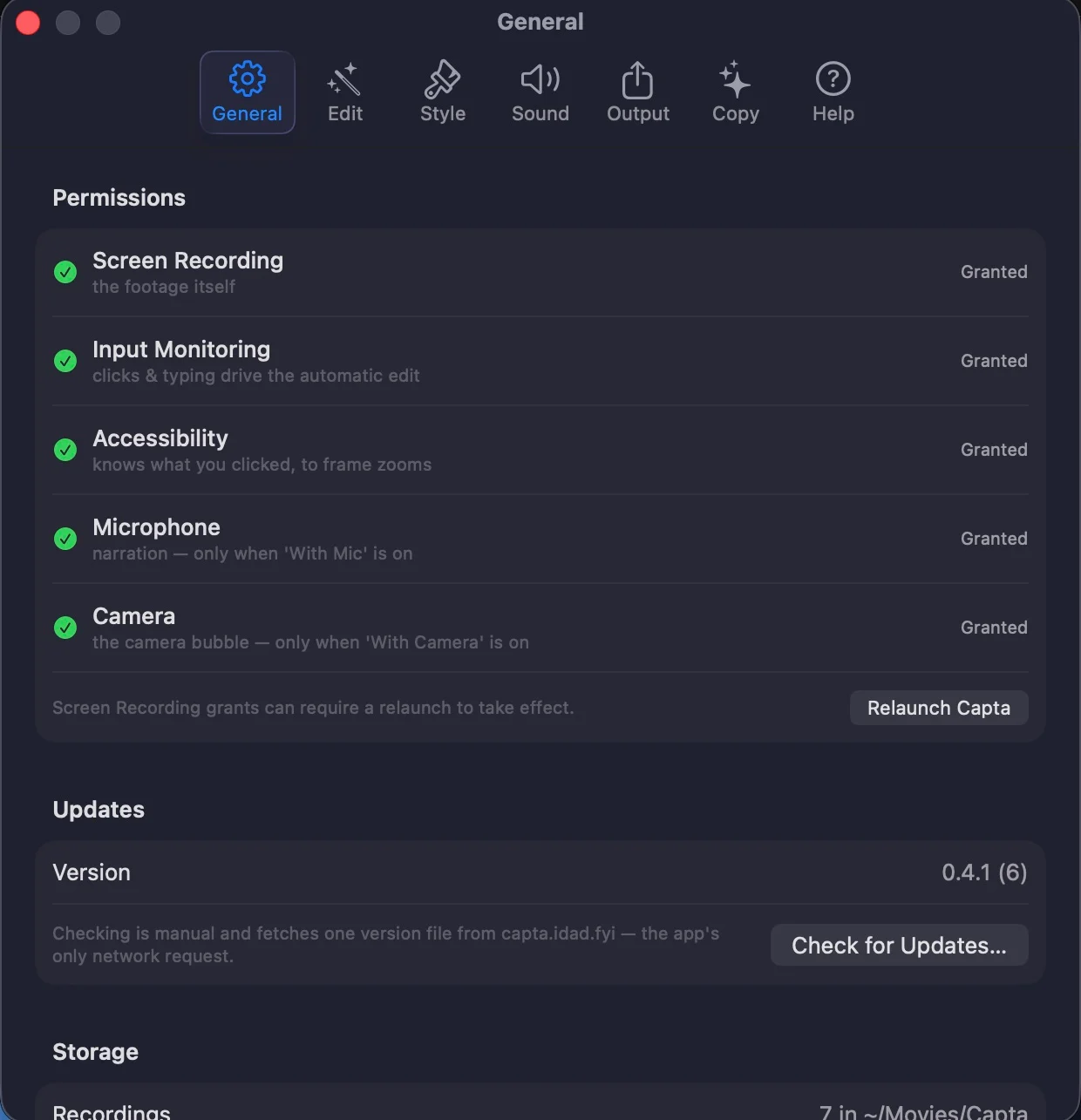
All of it runs on your Mac: the recording, the edit engine, the transcription, the AI. No account, no telemetry. What can touch the network is a short list and all of it is yours to start: an optional weekly update check, the music search, the one-time model downloads, and the iCloud copy when you press Share. Every feature is free, with a small capta.cam mark on exports; $19 once takes the mark off for good.
The parts worth knowing about
Not the whole list - the app has more screens than a page like this can usefully hold. These are the decisions that make Capta different from the last one you tried.
-
Zooms that know what you clicked
Capta reads the UI element under every click and frames it with spring-damped camera moves, restrained on purpose. When an app hides its widgets, Vision finds the dialog in the pixels and frames the whole thing.
-
Dead air never ships
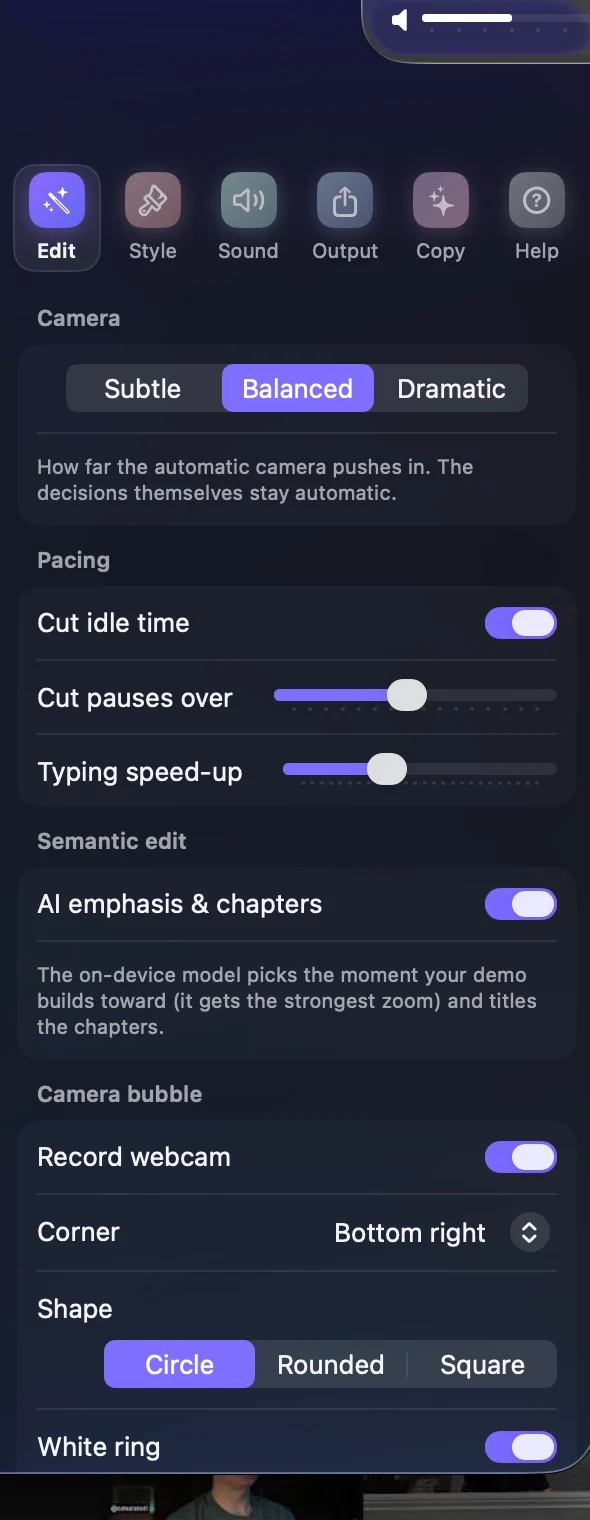
Idle stretches are cut, typing and loading are sped through with eased ramps, and a minute of fumbling comes out as thirty tight seconds - without you marking a single edit.
-
Cuts that land on the beat
Drop in any track and Capta detects its tempo on-device and snaps every cut to the grid. Three built-in tracks and a Creative-Commons search cover you when nothing is handy, and a drag bar picks the stretch of the song that plays.
-
Talk, and it captions you
Narration is transcribed on your Mac, captions are burned in, cuts and speed-ups steer around your sentences, and the music ducks while you speak. Your voice is levelled and the room noise gated out of it, and it never leaves the machine.
-
You, in the corner
Record the camera alongside the screen and appear in a bubble - eight shapes, circle to pill, any corner - or in a column beside the video that stays in view while the screen zooms, with the room behind you blurred. Toggle it right where you start recording - the same panel switches on system audio, so the app's own sounds ride along wherever the video plays at normal speed.
-
A window you can keep moving
Record one app window and drag it wherever you like mid-take; Capta follows it, so every zoom still lands on the thing you clicked. Any display works, for whole-screen and area recordings too.
-
Opens on a title, closes on a call to action
Two seconds of your own background with the AI-written title (or the app's name) up front, and the line you choose at the end - in one of seven designs, classic to cinematic, in your accent colour, previewed live in the Cards tab.
-
A timeline for the edits you do want to make
Video, zoom, audio and words lanes on one time axis. Drag a zoom to move it, its edge to stretch it, right-click to change its level or delete it; click a caption to fix a word. Every change is undoable and saved as you go.
-
A guide from the same take
Switch the editor to Guide and every click becomes a numbered screenshot with the control boxed and a sentence under it; typing and shortcuts get steps of their own. Export a PDF or copy it as rich text for free. A licence adds Markdown, a web page and Hudu.
-
Keystrokes on screen, passwords never
Shortcuts appear as chips that type out live while you record. Typed text shows only if you ask for it, and never from a password field.
-
On-device AI, from Apple or a download
An on-device model picks the payoff moment and gives it the strongest zoom, titles the chapters, and writes your title, caption and social post. It is Apple Intelligence on macOS 26, or a small Qwen model you download once. Optional, and everything works without it.
-
A screenshot studio in the same style
Capture a screen, window, area or a whole scrolling page and restyle it with every background Capta has, your Mac's wallpapers included. Annotate with arrows, pen, highlights, numbered steps, a spotlight dim, a crop, and a mosaic blur for the parts nobody should read - and select, move or resize any mark.
-
The preview is the editor
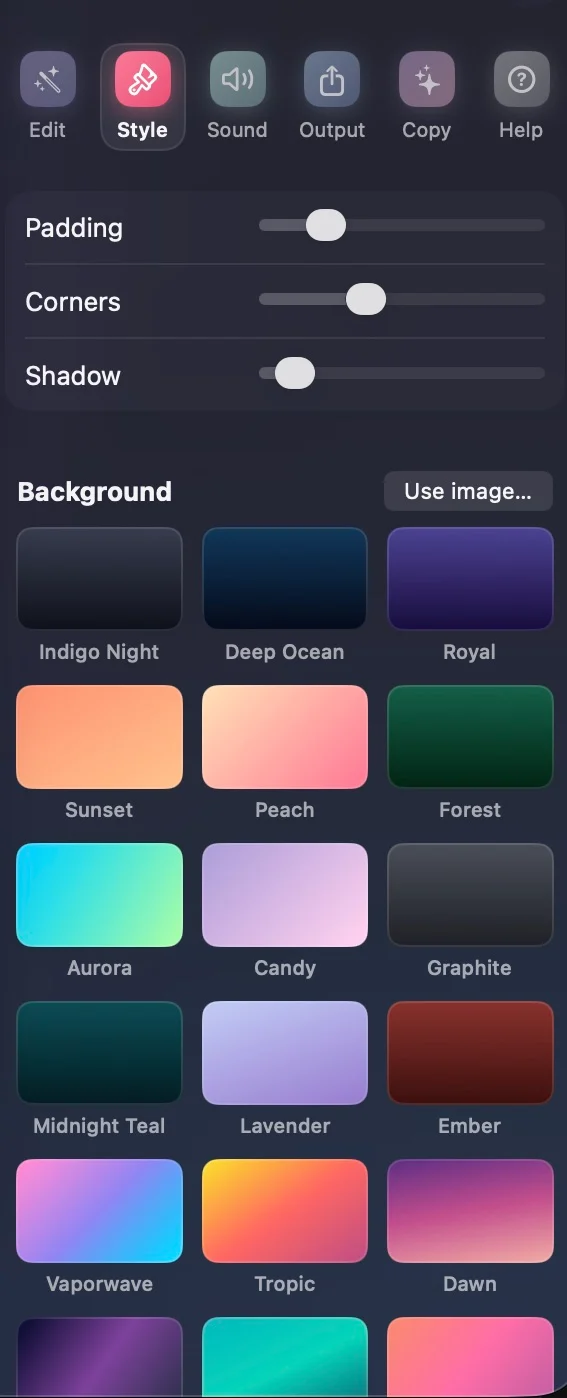
Every setting - background, camera intensity, trim, zoom toggles - applies instantly to a live preview. Export is the only offline step, and it can be cancelled: MP4 up to 4K60, a GIF, the clipboard, or a link - one click copies the video to your iCloud Drive and Apple's sharing sheet hands you a URL anyone can open. Every shortcut can be re-recorded in Settings.
Capta, running


Pricing
The free version is the whole app, so download first and decide later. The licence is sold through polar.sh. Nothing about it needs an account in Capta.
- CaptaFree
Every feature, with a small capta.cam mark bottom right on exports. No trial clock, no account.
- Automatic zooms, cuts and pacing
- Narration captions and the camera bubble
- Beat-synced music, built-in and searched
- Step-by-step guides as a marked PDF or on the clipboard
- Screenshot studio, GIF export, 4K60 MP4
- Capta licence$19
Paid once. Not a subscription. The launch price: $39 after 1.0, and a key bought now keeps working.
- The mark comes off every export
- Guides export as Markdown, a web page or a Hudu article
- One Mac at a time, moved between Macs whenever you like
- The key arrives by email; paste it into Settings
What you need
- Mac
- macOS 14 Sonoma or later, Apple silicon (M1 and later). Not Intel.
- Captions
- Downloadable Qwen models on macOS 14 or later (1.84 GB), or Apple Speech on macOS 26
- AI features
- Apple Intelligence on macOS 26, or a downloadable Qwen3 model - optional, everything else works without it
- Size
- 17.3 MB download, signed and notarized by Apple
- Latest version
- 0.9.23, September 2026
- Account
- None. No sign-in, no telemetry.
- Network
- No telemetry. An optional weekly update check, music search, model downloads and iCloud sharing use it, each only when you start it.
Questions about Capta
Is Capta free?
Yes. Every feature, with no trial clock and no account. Exports carry a small capta.cam mark in the bottom right corner, and $19 paid once removes it. That is the launch price; it becomes $39 at 1.0.
What does the Capta licence unlock?
The mark comes off every video, and a guide can leave as Markdown, a web page or a Hudu article. Without one, a guide exports as a marked PDF or goes to the clipboard as rich text. The key works on one Mac at a time and moves between Macs whenever you like.
Can Capta write a step-by-step guide?
Yes, from the same recording. Switch the editor to Guide: each click becomes a numbered screenshot with the control boxed and a sentence under it, and typing and shortcuts get steps of their own.
What does Capta run on?
macOS 14 Sonoma or later, on Apple silicon. It does not run on Intel Macs. It is a 17.3 MB download, signed and notarized by Apple.
Does Capta upload my recording anywhere?
No. Recording, editing, transcription and the AI all run on your Mac, and there is no account or telemetry. Share copies a video to your own iCloud Drive, and only when you press it.
Can I change the automatic edit?
Yes. The timeline has video, zoom, audio and words lanes. Any zoom can be dragged, stretched, re-levelled or deleted, any transcribed line rewritten, and every change is undoable.