Sleep Timer
Sleep in forty minutes, or at eleven tonight.
- Free on the Mac App Store
- macOS 13 or later
- Apple silicon or Intel
- Ten languages
What Sleep Timer does
For years the Mac had a sleep schedule. It was a Schedule button inside Energy Saver: tick a box, pick a time, and the machine put itself to bed at eleven whether you were still up or not. macOS 13 Ventura removed it and nothing replaced it. Sleep Timer is that setting put back, in the one place you can reach without opening System Settings at all.
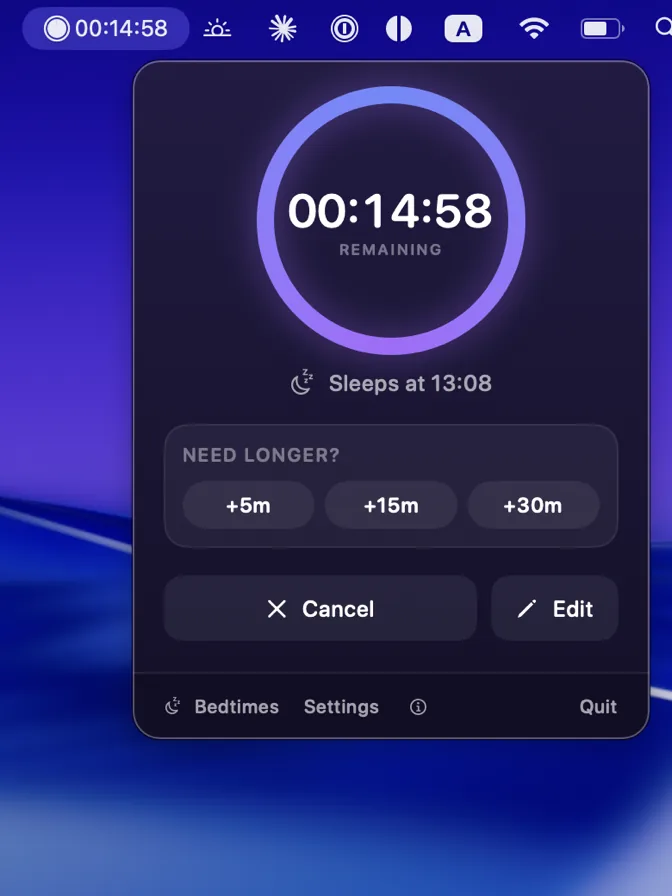
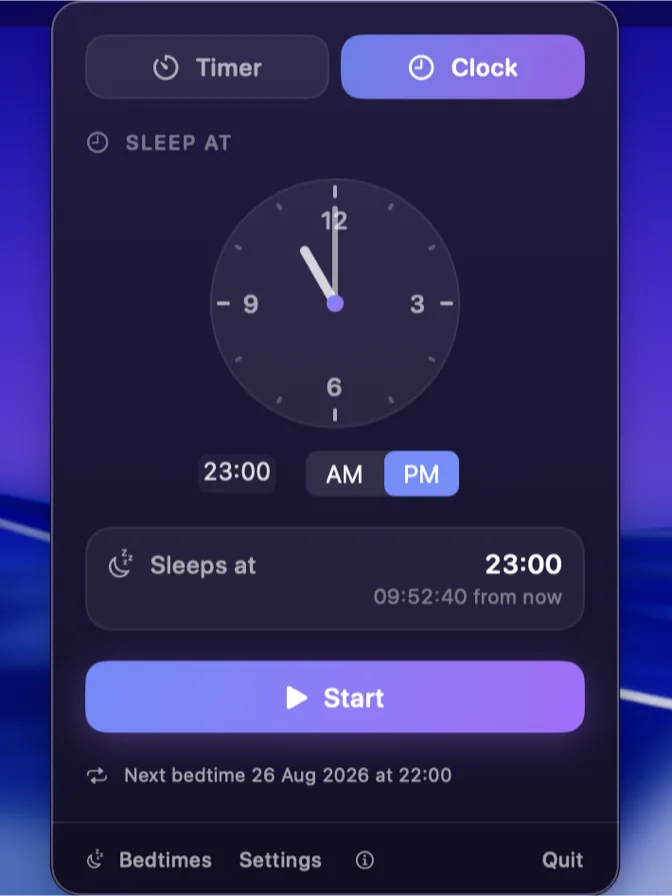
It sits in the menu bar next to Control Center, with no Dock icon and no window to go looking for. Tap 30m and start it, or type a length, or drag the hands of a clock dial round to the hour you want the machine to go quiet. Name an hour that has already gone and the timer waits until tomorrow rather than firing at once. If it is the same hour every week, say so once: weeknights at 23:00 for an hour, Fridays at 00:30 for ninety minutes.
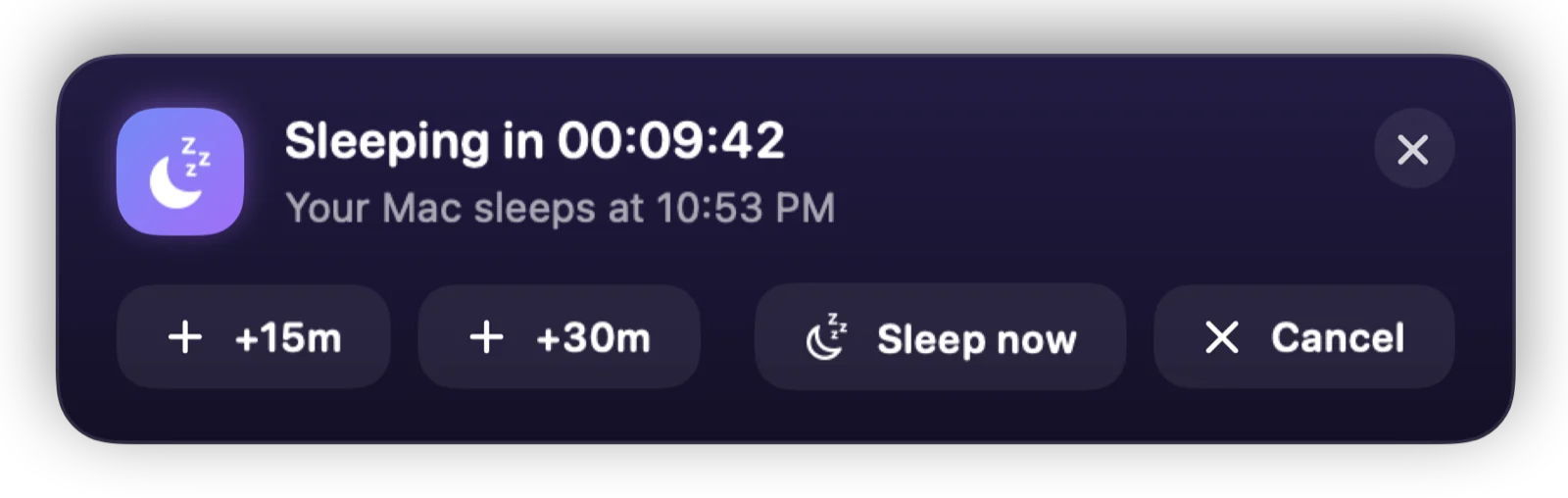
The part that matters at midnight is the warning. Ten minutes before it fires, a card floats above whatever is playing, fullscreen apps included, which is the one place an ordinary notification cannot reach. Add fifteen minutes, sleep now, or wave it away and carry on watching. At zero it asks macOS to sleep through pmset, the same tool behind the Apple menu's Sleep command, so it needs no permission your Mac has not already given the Apple menu.
The parts worth knowing about
Not the whole list - the app has more screens than a page like this can usefully hold. These are the decisions that make Sleep Timer different from the last one you tried.
-
It finds you mid-film
Ten minutes before sleep, a heads-up floats above fullscreen apps - the one place a notification usually cannot reach. Add time, sleep now, or wave it away and let the Mac drift off on schedule.
-
Four presets, and they are yours to change
15m, 30m, 1h and 2h out of the box. Type a length instead and switch between seconds, minutes and hours, or replace the presets with the four you actually use.
-
Or name the hour rather than the length
Drag the hands of the clock dial to the time you want the Mac to go quiet. Set one that has already passed and the timer waits until tomorrow, because a bedtime of 00:30 set at 23:00 means tonight and one set at 01:00 does not.
-
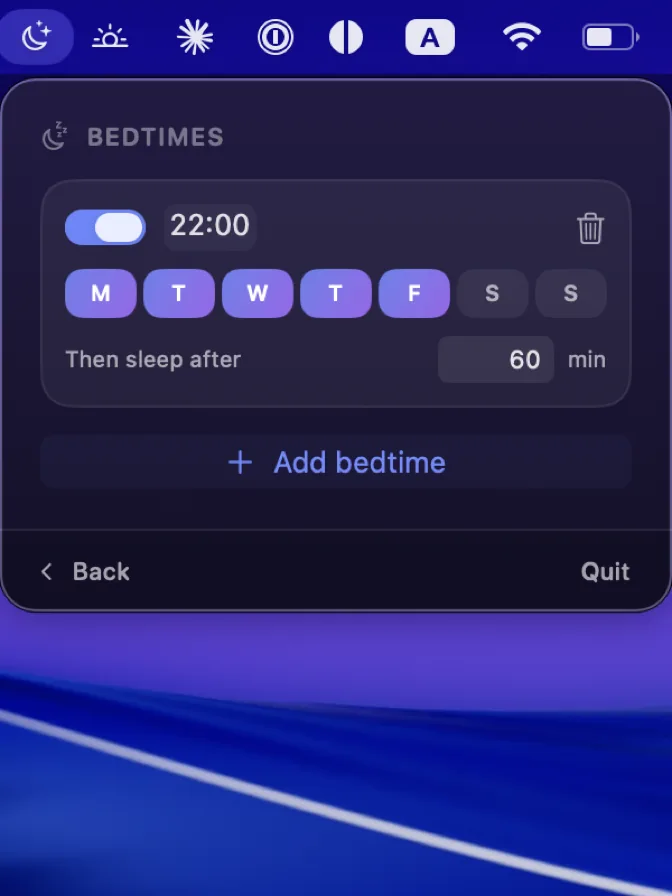
The same bedtime every week
Weeknights at 23:00 for an hour. Fridays at 00:30 for ninety minutes. Pick the days, the time and the length once. A repeating bedtime only counts down while the app is running, which is what Launch at login is there for.
-
Sleep is the default, not the only ending
Sleeping keeps every app and document open. Turning the display off instead leaves the machine awake with the screen dark, which is how a download finishes overnight, and there is a full shut down for when you meant shut down.
-
A quiet landing
The volume fades over the last 30 seconds, minute or two minutes, so the film does not stop mid-sentence at full loudness. The level you had comes back when you wake the Mac.
-
It survives a restart
The target time is written to disk rather than held in memory. Quit the app, or reboot the Mac, and the countdown picks up where it was instead of quietly forgetting.
-
Nothing leaves the Mac
No account, no analytics, no server. Your timer and your bedtimes live in macOS preferences on this machine, and the app reads nothing else and sends nothing anywhere.
Sleep Timer, running
Pricing
There is one tier and it costs nothing. Sleep Timer does one thing, it does not need paying for, and there is no plan to add a version that does.
- Sleep TimerFree
The whole app. No in-app purchase, no subscription, no trial clock, and no account to create.
- Every feature, on every Mac you own
- Ten languages
- No account, no analytics, no server
- Nothing held back and nothing to unlock
What you need
- Mac
- macOS 13 Ventura or later
- Processor
- Apple silicon or Intel
- Latest version
- 1.0
- Where it lives
- The menu bar, beside Control Center. No Dock icon.
- Languages
- Ten: English, French, German, Spanish, Italian, Dutch, Japanese, Korean, Portuguese in both variants, and Chinese in both scripts.
- Permissions
- None. It sleeps the Mac through pmset, the same tool as the Apple menu.
- Account
- None. There is nothing to sign up to.
- Your data
- Your timer and your bedtimes, in macOS preferences on this machine.
Free on the Mac App Store